

Diwali Career Utsav: Master programs + IT 360 Bundle free, 24×7 labs and a resume & career sessionShubh Deepavali!Explore master programs
DevOpsMASTER PROGRAM

AI-Ready DevOps Master Program

AI can write the code in seconds. Companies hire the engineers who review it, secure it and run it in production. Learn the full DevOps stack, from Linux to Kubernetes, with AI built into every module.

CI/CD & DevSecOpsKubernetes & GitOpsLLMOps & AIOps
Next live batchThu, 12 Nov, 2026 · 9:00 PM IST Limited seats

Everything you get

Live classes, 24×7 labs and IT 360 Bundle — in one fee

  • Live: Linux & Python, Docker & CI/CD, AWS & Terraform, Kubernetes & GitOps & LLMOps & AIOps5–6 months on weekdays · 6–7 months on weekendsTaught live by senior engineers — ask your doubt mid-class and get it solved on screen, not in a comment box three days later.Included
  • 24×7 hands-on lab accessReal Linux, Docker and Kubernetes environments — practise at 2 AM if that's when you learn best.Included
  • Recording of every classMissed a class for work or exams? Watch it the same night and never fall behind the batch.Included
  • 1:1 Zoom resume & career sessionBonusA trainer reviews your resume and maps your next role with you, one to one.Included
  • IT 360 Bundle · 10 self-paced coursesBonusRHCSA Linux sharpens your DevOps foundation, and the AWS and Azure courses cover the clouds you'll deploy to — in the same fee.
    • Cisco CCNA
    • Microsoft MCSA
    • Office 365
    • VMware VCP
    • SCCM
    • Microsoft Intune
    • CompTIA Security+
    Included

Direct enrollment

Enroll online. No sales call needed

$999

One-time fee. IT 360 Bundle, 24×7 labs and a resume & career session included.

Enrollment offer: DevOps Master Program. Review the final amount and included access on checkout.

Need help choosing? Request career guidance
Lab running
Your DevOps lab
Git
CI
Docker
Kubernetes
Terraform
Ansible
Monitoring
Registry
LIVE LAB1/5
Launching your DevOps lab…
Diagram: a your devops lab connected to Git, CI, Docker, Kubernetes, Terraform, Ansible, Monitoring, Registry.

What is inside the AI-Ready DevOps Master's Program?

AI-Ready DevOps Master's Program is a live, instructor-led program with Live instructor-led · 24x7 labs. It covers 14 modules and 4 guided labs. Try DevOps & Cyber Labs free before you enroll.

Live training
Live instructor-led · 24x7 labs
Curriculum
14 modules in 6 stages
Guided labs
4 labs
Batch length
5–6 months on weekdays, 6–7 on weekends
Practice lab
DevOps & Cyber Labs, free trial before you enroll

Finish AI-Ready DevOps Master's Program. Earn a certificate students can verify

We also provide certification after you complete the course. Pass a proctored Network Kings assessment and receive a certificate with a unique credential ID and a public verification record. Students can check it in seconds, and no login is needed.

  • Issued by Network Kings. The record comes from our system and can’t be edited by the holder.
  • Live status. If a certificate is ever revoked, its record says so immediately.
  • Score on record. The assessment score is shown, so the result speaks for itself.
NETWORK KINGS - Official Digital Credential
Sample credential
Priya Menon
AI-Ready DevOps Master's Program Certification Assessment
Credential ID
Issued
NK-CERT-2026-104729
14 Aug 2026
Sample credential. Real credentials link to a live verification record.

How to get certified

Prepare, take your assessment, and share your achievement.

  1. Open the exam from your course

    Select Get Certification on your course in the Network Kings learning app.

  2. Take the proctored assessment

    Answer the timed questions in one sitting with your camera on and the exam in fullscreen.

  3. Pass with 70% or more

    The certification team reviews your result and emails your certificate within 24 hours.

  4. Share it anywhere

    Add it to LinkedIn or your CV. Anyone can confirm it with the ID or QR code.

LIVE BATCHES · LIMITED SEATS

Upcoming batches for AI-Ready DevOps Master's Program

All upcoming batches

Pick the batch that fits your schedule and enroll online to lock the batch price before the seats run out.

Live batchOffer batch

DevOps Master Program

  • Thu, 12 Nov, 2026
  • 9:00 PM IST
  • Weekday classes
Limited seats
Everything you get
  • Live: Linux & Python, Docker & CI/CD, AWS & Terraform, Kubernetes & GitOps & LLMOps & AIOpsWeekday batch · 5–6 monthsTaught live by senior engineers — ask your doubt mid-class and get it solved on screen, not in a comment box three days later.Included
  • 24×7 hands-on lab accessReal Linux, Docker and Kubernetes environments — practise at 2 AM if that's when you learn best.Included
  • Recording of every classMissed a class for work or exams? Watch it the same night and never fall behind the batch.Included
  • 1:1 Zoom resume & career sessionBonusA trainer reviews your resume and maps your next role with you, one to one.Included
  • IT 360 Bundle · 10 self-paced coursesBonusRHCSA Linux sharpens your DevOps foundation, and the AWS and Azure courses cover the clouds you'll deploy to — in the same fee.RHCSA Red Hat LinuxAWS Solutions ArchitectAzure AZ-104 AdministratorCisco CCNAMicrosoft MCSAOffice 365VMware VCPSCCMMicrosoft IntuneCompTIA Security+Included

$999

Bonuses close in
Not ready? Talk to our teamBatch details

Join this program, or learn more than one technology

Companies hire engineers who work across networking, cloud, security and automation. Pick how deep you want to go.

DevOps Master Program

₹5,999/ month × 12

  • Live batches with a mentor
  • The full roadmap for this field
  • 24x7 labs and the IT 360 Bundle
Join this master program
Best for multi-technology careers

Live Access Pass

₹12,999/ month × 12

  • Join any of 200+ live batches a year
  • Every master program, including this one
  • All Access Pass (50+ recorded courses) and MockInterviewz
See the Live Access Pass

Taking 3 or more master programs? The pass (₹1,55,988 in total) costs less than buying them one by one, and adds the All Access Pass and MockInterviewz.

YOUR PROGRAM ROADMAP

AI-Ready DevOps Roadmap

Become a DevOps Engineer, SRE, Platform Engineer, DevSecOps or LLMOps Engineer. DevOps follows 6 stages: Foundations: Linux · Git · Python · Ansible, Build & ship: Docker · CI/CD & DevSecOps, Cloud & IaC: AWS · Terraform, Run at scale: Kubernetes · GitOps · SRE and more.

₹4 LPA → ₹60+ LPA
WHO CAN LEARN THIS
  • Fresher or Graduate
  • System / Network Admin
  • Developer
  • DevOps or Cloud Engineer
  • Automation & scripting
  • Containers & secure CI/CD
  • Cloud & Infrastructure as Code
  • AI deployment & AIOps
  1. Foundations: Linux · Git · Python · Ansible1 lab1/6
  2. Build & ship: Docker · CI/CD & DevSecOps2/6
  3. Cloud & IaC: AWS · Terraform3/6
  4. Run at scale: Kubernetes · GitOps · SRE1 lab4/6
  5. The AI layer: LLMOps · AIOps & Agents1 lab5/6
  6. Capstone: AskOps, end to endcapstone project6/6

Career Roles

4 PATHS
  • DevOps Engineer
  • Site Reliability Engineer
  • Platform Engineer
  • MLOps / LLMOps Engineer

Salary Potential

15X GROWTH
Junior DevOps (Fresher)
₹4–8 LPA
DevOps Engineer (2–4y)
₹8–20 LPA
Senior DevOps / Platform (4–7y)
₹20–40 LPA
Architect / SRE Lead (7+y)
₹40–60 LPA+
IN THIS PROGRAM
  • Live instructor-led · 24x7 labs
  • 4 lab exercises
  • 1 capstone project
  • 14 modules in 6 stages
  • Recording of every class
  • 24×7 DevOps & Cyber Labs

Salary ranges are indicative and vary by city, skills and employer; they are not a guarantee.

Concept illustration of an automated build, test and deployment pipeline.
CONNECT THE CONCEPTS

Explore the systems behind DevOps

The roadmap above shows how the subjects connect. Explore the curriculum below for every topic, lab and project.

EXPERIENCE THE ROLE

See what a DevOps Engineer really does, minute by minute

Watch a real-world incident unfold on the engineer’s screens and in a 3D model of the systems they look after. Then type the commands yourself and try the same task in a lab.

LIVE SHIFT

A release is stuck: the pipeline is red

CI pipeline · main
  1. Build
  2. Test
  3. Push image
  4. Deploy
Run #482 · triggered by a merge to main
✗ Test stage failed after 1m 12s
incident-room
  1. Developer

    My release is blocked, the pipeline is red. Can you take a look?

The systems you look after
09:20 · STEP 1 OF 5

The pipeline fails

A developer pushed a new feature, but the automated pipeline failed at the test stage. Nothing can be released until it is green.

You learn this in the program: CI/CD · GitHub Actions / Jenkins

Illustrative shift based on common real-world incidents. Names, times and numbers are examples.

YOUR TURN

Type the commands yourself, and get an honest answer about AI

prod-clusterYour turn: type a command
kubectl get pods -n payments
api-7c9d 0/1 CrashLoopBackOff 6
# Crashing on a loop. Read the logs.
# Your turn. Type a command, or tap one below. Start with: help
Not sure what to type? Tap one:
AI REALITY CHECK · DEVOPS ENGINEER

AI writes boilerplate; reliability stays human

AI is already good at

  • Writes pipeline, Dockerfile and Terraform boilerplate
  • Explains errors and suggests fixes
  • Generates tests and documentation

You stay essential for

  • Keeps production reliable and recovers when it fails
  • Designs platforms, cost and security guardrails
  • Reviews AI-written code and configuration before it ships
  • Owns on-call and the postmortem

Skill to add: Go deep on Kubernetes, observability and Terraform, and learn to review AI-generated infrastructure code.

  • GitHub Actions
  • Jenkins
  • Docker
  • Kubernetes
  • Terraform
  • Grafana

Our assessment, not a guarantee. No job is fully AI-proof: people who use AI well replace people who do not.

3-MINUTE CHALLENGE

A deploy just broke production. Make five calls like the on-call engineer.

Score yourself, get a badge, and see why each answer is right or wrong.

Start the challenge
DO THIS TASK YOURSELF

Open the DevOps & Cyber Labs trial and work through the same kind of task

Real systems, guided steps. The lab site opens only when you click.

Open the DevOps & Cyber Labs trial
READY WHEN YOU ARE

Next live batch: Thu, 12 Nov, 2026 · 9:00 PM IST

Review the fee and your enrollment offer before you pay.

YOUR PROGRAM AT A GLANCE

Be the engineer who checks and owns the result.

AI can write the code in seconds. Companies hire the engineers who review it, secure it and run it in production. Learn the full DevOps stack, from Linux to Kubernetes, with AI built into every module.

Live training
Live instructor-led · 24x7 labs
Curriculum
14 modules in 6 stages
Learning approach
Classes + practical work

Included in your learning experience

  • Live instructor-led training by industry practitioners
  • AI in every module, from Linux to Kubernetes
  • 24x7 hands-on DevOps labs
  • Troubleshooting labs: we break things, you fix them
  • Deploy an LLM app on Kubernetes and monitor its cost and quality
  • Build an AI ops agent that fixes alerts after human approval
  • AskOps production capstone to demo in any interview
  • A portfolio repo for every module, plus mock interviews
WHY THIS PROGRAM

DevOps for the AI era

AI can now write a Dockerfile, a Terraform module or an Ansible playbook in seconds. It cannot decide whether that code is safe, debug it at 2 a.m. when production is down, or take responsibility for the outcome. Those are the engineers companies are hiring.

You use AI the way working engineers do: let AI write the first draft, then you review it, test it, secure it and run it in production.

What makes it different

  • AI in every module, not a bolt-onEach module covers the core skill first, then how to do it faster and better with AI assistants.
  • Reviewing AI output is a graded skillYou keep a log of real mistakes you caught in AI-generated code. Employers value this judgment above anything else.
  • You deploy AI, not just use itYou run an LLM-powered app on Kubernetes and monitor its speed, cost and answer quality.
  • You build an AI ops agentIt reads alerts, suggests a fix and waits for a human to approve it. This is where operations work is heading.
  • Troubleshooting labsWe break things on purpose and you fix them. Debugging is the skill AI replaces least.
  • One real capstoneA complete production system you can demo in any interview.
FIND YOUR STARTING POINT

Is this program for you?

You areYour path through the programYou leave with
Fresher or graduateEvery module from Linux upward, with extra troubleshooting labsJob-ready DevOps skills, a GitHub portfolio and a capstone to demo
System or network admin, support engineerQuick pass through Linux; more depth on automation, cloud and KubernetesA move from running servers by hand to automating them
DeveloperQuick pass through Git and Python; more depth on CI/CD, containers and cloudThe ability to ship and run your own code in production
Working DevOps or cloud engineerFaster pace through Modules 1–7; focus on GitOps, SRE, AI deployment and AIOpsThe AI-era skills newer roles are starting to ask for

Before you start: Basic computer skills and a laptop with at least 8 GB RAM. No coding experience is needed; we teach Python from the start.

Discuss your current skills with an advisor to choose the right starting point and batch.

Still choosing? Find your learning path
EXPLORE THE FULL SYLLABUS

From foundations to applied skills

Follow the complete curriculum, including the topics, lab exercises and project work in each section.

Stage 1

Foundations

The skills every DevOps engineer uses daily, learned alongside the AI tools that make them faster.

01

Linux

Command line, scripting, system admin. AI angle: use AI to write and explain shell scripts, then verify them.

What you'll learn
  • Filesystem, permissions, users and groups, processes, package management
  • Networking basics: IP, ports, DNS, SSH, curl, firewalls
  • Services and logs with systemd and journalctl
  • Bash scripting: variables, loops, functions, cron jobs
  • Troubleshooting a slow or broken server: CPU, memory, disk, logs
The AI edge
  • Use an AI assistant to explain unfamiliar commands and error messages
  • Generate scripts with AI, then test them and spot unsafe commands before you run them
  • Use AI terminal assistants safely: what to share and what never to paste
02

Git & GitHub

Version control, teamwork, code review. AI angle: AI-assisted reviews and commit messages; GitHub as your portfolio.

What you'll learn
  • Commits, branches, merge vs rebase, resolving conflicts
  • Pull requests, code review, branch protection
  • Team workflows: trunk-based development and conventional commits
  • GitHub Issues and Projects for planning work
The AI edge
  • AI-generated commit messages and PR summaries, and when to rewrite them
  • AI code review assistants: what they catch and what they miss
  • Building a GitHub profile recruiters can browse
03

Python for DevOps, APIs and AI

Automation, REST APIs, Flask. AI angle: call LLM APIs from your own Python code.

What you'll learn
  • Python basics: data types, functions, modules, error handling, virtual environments
  • Working with files, JSON and YAML
  • Calling REST APIs with requests; automating cloud and tool APIs
  • Building a small REST API with Flask; testing with pytest
  • Calling LLM APIs: prompts, structured JSON output, rate limits and token cost
The AI edge
  • Write your first AI-powered tool: a script that reads log files and summarizes errors in plain English
  • Learn how LLM APIs work under the hood, so the AI later in the course isn't a black box
Hands-on
  • A Flask API plus an AI log summarizer, both tested and committed to GitHub
04

Ansible

Configuration management at scale. AI angle: have AI draft roles, then find and fix what it got wrong.

What you'll learn
  • Inventories, ad-hoc commands, playbooks, variables, handlers
  • Roles and collections; Jinja2 templates
  • Idempotency: why running a playbook twice must change nothing the second time
  • Ansible Vault for secrets; managing Linux and Windows hosts
  • Introduction to Ansible Automation Platform (AAP)
The AI edge
  • Let AI draft a role, then find the bugs: non-idempotent tasks, hard-coded secrets, invented module options
  • Use ansible-lint and tests as the final check on AI-written automation
  • Preview: in Module 13, Ansible becomes the "hands" of an AI ops agent
Stage 2

Build and ship

Package applications once, run them anywhere and deliver every change securely.

05

Docker & Microservices

Containers, Compose, service design. AI angle: containerize an AI chatbot with a vector database.

What you'll learn
  • Monolith vs microservices: when each makes sense, and the trade-offs
  • Docker images, containers, volumes and networks
  • Writing good Dockerfiles: multi-stage builds, small images, non-root users
  • Docker Compose for running multi-service apps locally
  • Container registries and image tagging
The AI edge
  • Containerize a real AI chatbot: a Python API, a vector database and a front end
  • Review AI-generated Dockerfiles for common mistakes: running as root, bloated images, secrets baked in
06

CI/CD & DevSecOps

GitHub Actions, Jenkins, security scans. AI angle: pipelines that check AI-written code like any other code.

What you'll learn
  • CI/CD concepts: build, test, release, deploy
  • GitHub Actions in depth: workflows, jobs, matrices, reusable workflows
  • Jenkins: pipelines as code with a Jenkinsfile, agents, plugins
  • Security in the pipeline: secret scanning (Gitleaks), image scanning (Trivy), SBOMs, image signing (Cosign)
  • Keyless cloud access with OIDC, so no passwords or keys sit in your pipeline
The AI edge
  • Treat AI-written code like any other code: it must pass the same tests and scans
  • Use AI to explain failing pipeline logs and suggest fixes, then confirm them yourself
  • Test AI features in CI with a mock model, so tests stay fast and free
Stage 3

Cloud and infrastructure as code

Build real AWS environments, then create and destroy them entirely from code.

07

AWS for DevOps

Core cloud services, IAM, cost control. AI angle: managing the cost of AI and GPU workloads.

What you'll learn
  • Core services: EC2, VPC networking, S3, RDS, Elastic Load Balancing, Auto Scaling
  • Identity and security: IAM users, roles and policies; least privilege; Secrets Manager
  • Containers on AWS: ECR, ECS with Fargate, and an introduction to EKS
  • AWS developer tools: CodePipeline and CodeBuild; monitoring with CloudWatch
  • Cost control (FinOps): budgets, alerts, right-sizing, spot instances
The AI edge
  • Why AI workloads are expensive (GPUs, tokens, storage) and how teams keep the bill under control
  • A tour of AWS's AI services, such as Amazon Bedrock, and where DevOps engineers fit in
  • Use AI assistants to read and explain IAM policies, then check them against least privilege yourself
08

Terraform

Infrastructure as code. AI angle: AI-drafted infrastructure, caught by policy checks.

What you'll learn
  • Providers, resources, variables, outputs, data sources
  • State: remote state in S3, locking, and why it matters for teams
  • Modules and separate environments (dev and prod) from the same code
  • Plan and apply workflows in CI, with the plan posted for review
  • Policy and quality checks: tflint, Checkov, and an introduction to policy as code
The AI edge
  • Have AI draft infrastructure, then catch what it gets wrong: open security groups, public buckets, missing encryption
  • Let automated policy checks act as a safety net for both humans and AI
Stage 4

Run at scale

Run production systems that scale, recover on their own and tell you when something is wrong.

09

Kubernetes

Deploying and scaling containers. AI angle: running AI workloads and autoscaling them.

What you'll learn
  • Architecture: control plane, nodes, pods
  • Deployments, Services, Ingress, ConfigMaps and Secrets
  • Health probes, resource requests and limits, autoscaling (HPA)
  • Storage, namespaces, RBAC and network policies
  • Packaging apps with Helm; running on Amazon EKS, plus local clusters (kind or k3d)
The AI edge
  • Use AI to explain kubectl output and debug failing pods: CrashLoopBackOff, Pending, OOMKilled
  • How AI workloads differ: heavier memory needs, long-running requests, GPU scheduling
Hands-on
  • Deploy the AI chatbot to Kubernetes with autoscaling, then survive a node failure without downtime
10

GitOps with Argo CDNew

Argo CD, Git as the single source of truth. AI angle: safe, reviewable change flow for AI agents too.

What you'll learn
  • GitOps principles: Git as the single source of truth for what runs in the cluster
  • Argo CD: applications, sync, self-healing, drift detection
  • Promoting releases from dev to prod through pull requests
  • Rolling back a bad release by reverting one commit
  • Admission policies with Kyverno: allow only signed images, block root containers
The AI edge
  • GitOps is the safest way to let automation, including AI agents, change production: every change is a reviewable pull request with a full history
11

Observability & SRENew

Metrics, logs, traces, SLOs, incidents. AI angle: monitoring LLM latency, token cost and answer quality.

What you'll learn
  • The three signals: metrics (Prometheus), logs (Loki), traces (OpenTelemetry)
  • Dashboards in Grafana; alerts with Alertmanager
  • SRE practice: SLIs, SLOs and error budgets; alerting on what users feel
  • Incident response: on-call, runbooks, and blameless postmortems
The AI edge
  • Monitoring AI apps: response latency, tokens used, cost per request, rate-limit errors and "no answer" rate
  • Use AI to summarize noisy logs during an incident, while you keep the final call
Stage 5

The AI layer

The part most DevOps courses skip: running AI in production, and using AI to run production.

12

Deploying AI Apps (LLMOps)New

LLMOps: serving and operating AI apps. AI angle: RAG apps, model serving, GPU nodes.

What you'll learn
  • How an AI app works: LLMs, embeddings, vector databases and RAG, explained for engineers
  • Hosted models through an API vs self-hosted open models
  • Serving models on Kubernetes: GPU node pools, inference servers (vLLM, Ollama), autoscaling on load
  • Operating AI apps: rate limits, retries, caching, prompt and model versioning, API keys
  • Testing AI apps: a fixed question set scored on every change
  • AI security basics: prompt injection, data leakage, guardrails
Hands-on
  • Deploy a RAG chatbot that answers questions from your own documents, then compare a hosted model against a self-hosted one on speed and cost
13

AIOps & AI AgentsNew

Automated operations. AI angle: agents that diagnose alerts and fix them after human approval.

What you'll learn
  • What AIOps is: using AI to detect, diagnose and fix operational problems
  • How AI agents work: an LLM plus tools plus a loop
  • Giving agents tools through MCP (Model Context Protocol): read metrics, logs, query Kubernetes
  • Building an alert-triage agent: gathers evidence, writes a diagnosis, proposes a fix
  • Guardrails: read-only by default, allow-list of actions, human approval, full audit log
  • Executing approved fixes through Ansible runbooks or GitOps pull requests; when not to trust the agent
Hands-on
  • Build an ops agent that receives a real alert, investigates it, and opens a ticket with its diagnosis and an approve button. The fix runs only after a human says yes
Stage 6

Capstone

Ship a complete AI app to production the way a real platform team would.

14

Capstone: AskOps

Everything, end to end. AI angle: ship an AI app to production with an AI ops agent.

What you'll learn
  • In teams, you build AskOps, an AI assistant that answers questions from company documents, and run it in production the way a real platform team would
APPLY WHAT YOU LEARN
What you build
  • The AI app: three Python microservices, containerized and tested
  • CI pipelines with security scanning and signed images
  • The full AWS environment in Terraform, with servers configured by Ansible
  • Deployment to Kubernetes through Argo CD
  • Dashboards, SLOs and alerts, including AI cost and quality metrics
  • An AI ops agent that diagnoses alerts and fixes them after human approval
LEARNING THAT YOU CAN APPLY

Turn the syllabus into practical work

Work through the exercises with your instructor, test configurations and explain the decisions behind your solution.

Skills you’ll work toward

  • A production-grade capstone on GitHub to demo in any interview
  • A portfolio repo for every module
  • Hands-on experience with the tools on current DevOps job descriptions: Linux, Git, Python, Ansible, Docker, GitHub Actions, Jenkins, AWS, Terraform, Kubernetes, Argo CD, Prometheus, Grafana
  • Practical AI skills: LLM APIs, RAG, LLMOps and AI agents
  • The habit employers value most: using AI to work faster while staying the engineer who checks and owns the result
PLAN THE NEXT STEP

Build on your program

Explore the supporting bundles and career services available with this program. Your selected enrollment offer sets the final inclusions.

DevOps Self-Paced Learning BundleIncluded learning bundle

Live sessions move fast. This bundle lets you revisit every DevOps tool at your own pace, for revision or interview prep. Recorded by DevOps practitioners, available anytime on any device.

  • Recorded · Anytime
  • Linux · Git · Python · Ansible · Docker
  • CI/CD · AWS · Terraform · Kubernetes · GitOps
  • Observability · LLMOps · AIOps & AI Agents
IT 360 Self-Paced Bundle · 10 coursesIncluded learning bundle

RHCSA Linux sharpens your DevOps foundation, and the AWS and Azure courses cover the clouds you'll deploy to. Self-paced video on the Network Kings learning platform, studied alongside your live classes.

  • RHCSA Red Hat Linux
  • AWS Solutions Architect
  • Azure AZ-104 Administrator
  • Cisco CCNA
  • Microsoft MCSA
  • VMware VCP
  • Office 365
  • SCCM
  • Microsoft Intune
  • CompTIA Security+
Engineer Edge Placement ProgramCareer support add-on

Engineer Edge specialises in placing DevOps and Cloud engineers in top companies. They actively apply for jobs on your behalf and support you until you land the offer.

  • Hiring Partner
  • Resume Building · LinkedIn Optimization
  • Mock Interviews · Technical Interview Prep
  • Job Application Support · Placement Assistance

How the learning areas connect

Explore the learning areas in this path. Check the curriculum above for the subjects included in your program.

  1. Stage 1 · FoundationsLinux · Git · Python · Ansible
  2. Stage 2 · Build and shipDocker · CI/CD & DevSecOps
  3. Stage 3 · Cloud and IaCAWS · Terraform
  4. Stage 4 · Run at scaleKubernetes · GitOps · SRE
  5. Stage 5 · The AI layerLLMOps · AIOps & Agents
  6. Stage 6 · CapstoneAskOps, end to end

Career directions to explore

Roles depend on your experience, practical skills and the opportunities you pursue.

  • DevOps PathJunior DevOps Engineer → DevOps Engineer → Senior DevOps Engineer → DevOps Architect
  • Platform PathCloud / DevOps Engineer → Platform Engineer → Site Reliability Engineer → Infrastructure Architect
  • DevSecOps PathDevOps Engineer → Cloud DevOps Engineer → DevSecOps Engineer → Security / Cloud Architect
  • Roles this program prepares you forDevOps Engineer · Cloud Engineer (AWS) · Site Reliability Engineer (SRE) · Platform Engineer · DevSecOps Engineer · MLOps / LLMOps Engineer (entry level)

Salary potential in India

Indicative ranges by role and experience, not a guarantee. Your offer depends on your skills, experience and interviews.

Role & experience levelSalary range
Junior DevOps / Cloud Support Engineer (Fresher)₹4–8 LPA
DevOps Engineer / Cloud DevOps Engineer (2–4 yrs)₹8–20 LPA
Senior DevOps / Platform Engineer (4–7 yrs)₹20–40 LPA
DevOps Architect / SRE Lead (7+ yrs)₹40–60 LPA+
BEFORE YOU GET STARTED

Your questions, answered

What does the AI-Ready DevOps Master's Program cover?

14 modules in six stages: Linux, Git, Python and Ansible; Docker and CI/CD with DevSecOps; AWS and Terraform; Kubernetes, GitOps with Argo CD and Observability & SRE; then the AI layer (LLMOps and AIOps & AI agents) and the AskOps production capstone. Every module pairs a core DevOps skill with a practical AI angle.

What does "AI-ready" mean in this program?

You learn each core skill first, then how to do it faster with AI assistants, and how to check what AI gets wrong. You also deploy an LLM app on Kubernetes, monitor its latency, token cost and answer quality, and build an AI ops agent that diagnoses alerts and fixes them only after a human approves.

Do I need coding experience?

No. You need basic computer skills and a laptop with at least 8 GB RAM. Python is taught from the start in Module 3.

Who is this program for?

Freshers and graduates, system or network admins and support engineers, developers, and working DevOps or cloud engineers. Each group takes a different path through the modules: freshers start from Linux with extra troubleshooting labs, while working engineers move faster through Modules 1–7 and focus on GitOps, SRE, AI deployment and AIOps.

Which tools will I use?

Linux, Git and GitHub, Python and Flask, Ansible, Docker and Compose, GitHub Actions, Jenkins, Gitleaks, Trivy, Cosign, AWS (EC2, VPC, S3, IAM, ECS, EKS, Bedrock), Terraform, Kubernetes and Helm, Argo CD, Kyverno, Prometheus, Loki, OpenTelemetry, Grafana, vLLM, Ollama and MCP.

Will I get hands-on labs?

Yes. You get 24x7 DevOps & Cyber Labs (labs.nwkings.com), troubleshooting labs where things are broken on purpose for you to fix, and a hands-on build in most modules.

What is the capstone project?

In teams you build AskOps, an AI assistant that answers questions from company documents: three Python microservices, secure CI pipelines, AWS built in Terraform, deployment to Kubernetes through Argo CD, dashboards and SLOs, and an AI ops agent. It goes on GitHub for you to demo in interviews.

What jobs can I apply for?

DevOps Engineer, Cloud Engineer (AWS), Site Reliability Engineer, Platform Engineer, DevSecOps Engineer and entry-level MLOps / LLMOps Engineer roles. Roles depend on your experience, practical skills and interview performance.

Where can I check the fee and enroll?

Use the Enroll button on this page to see the current offer and pay securely on nwkings.com: full payment or no-cost EMI in India, USD for international learners. Prefer to talk first? Request a callback and a course advisor will confirm the batch, inclusions and fee.

Connect the concepts.
Put them to work

Move from understanding a system to configuring, testing and improving it through guided practice.

  • Configure a network

    Trace connections and practice working with devices and services.

  • Test what changes

    Explore lab scenarios and inspect how configuration choices affect a system.

  • Build repeatable workflows

    Explore Linux, scripting and automation in the relevant learning paths.

Explore the lab environments

Confirm the available labs and access period for your chosen course.

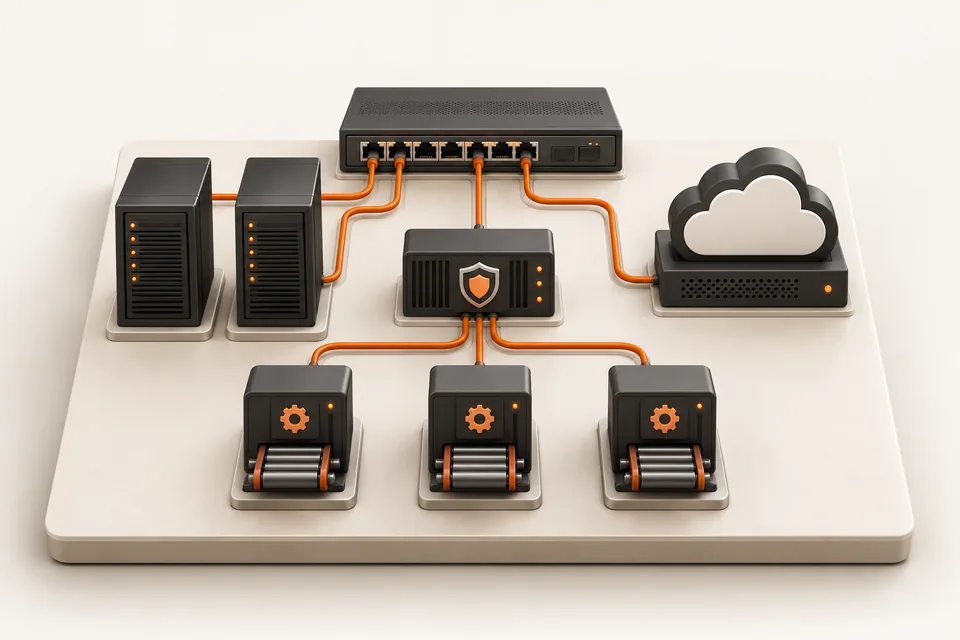
Illustration of a miniature switch, servers, cloud, security gateway and delivery modules connected in an infrastructure learning lab.
A connected view of networking, cloud, security and automation.

Learn from top 1% engineers.

Meet instructors who bring networking, cloud and automation experience into the classroom.

Atul Sharma
Founder · Networking

Atul Sharma

12+ years in networking

Networking experience spanning Aricent, TCS, Apple and Juniper.

Sanjay Sharma
AWS cloud

Sanjay Sharma

20+ years of experience

Cloud mentor bringing extensive hands-on AWS experience to the classroom.

Amit Bhatt
Linux & DevOps

Amit Bhatt

11+ years of experience

DevOps automation experience at CDAC, IBM and Integrated Solutions.

Industry experience. Practical explanations. A human connection.

Explore Network Kings
Aadil Hameed dar

Aadil Hameed dar

Network Engineer L1

“Industry-expert trainers made networking easy to understand.”

Shared with Network Kings

Explore, talk it through, or enroll

See the syllabus and fees at your own pace. Request personal guidance when you need help choosing.

Find the right direction

Discuss your experience, interests and the skills you want to build with our team.

Request career guidance

Have a course question?

Ask about prerequisites, live classes, lab access or the enrollment options for your course.

Request a callback

Ready for your next skill?

Review the current fee, included access and payment terms before completing enrollment.

View fee & enroll Enrollment offer: DevOps Master Program

Use the enquiry form to share your course interest, or WhatsApp/email to include a callback or guidance request.

Why learn from the top 1% of engineers?

Because passing an exam and doing the job are different skills, and only experience closes the gap. Network Kings mentors have spent 11 to 20+ years building and running networks, cloud platforms and pipelines at companies like Apple, Juniper Networks, IBM and CDAC. They teach what breaks in production, why, and how engineers fix it under pressure.

  • Amit Bhatt, Linux & DevOps mentor at Network KingsAmit Bhatt, Linux & DevOps
  • Atul Sharma, Founder & CEO mentor at Network KingsAtul Sharma, Founder & CEO
  • Sanjay Sharma, AWS mentor at Network KingsSanjay Sharma, AWS
  • Vikas Kumar, Azure mentor at Network KingsVikas Kumar, Azure
  • Ajay, Azure mentor at Network KingsAjay, Azure
  • Lazaro (Laz) Diaz, Networking mentor at Network KingsLazaro (Laz) Diaz, Networking

Amit Bhatt (Linux & DevOps, 11+ yrs), Atul Sharma (Founder & CEO, 12+ yrs), Sanjay Sharma (AWS, 20+ yrs) and more. Meet the mentors

Same problem, two answers. Pick a track:

On the job: The release pipeline fails at 2 AM, and production is half-deployed.

The textbook answer

CI/CD automates build, test and deployment. If the pipeline fails, check the logs to find the error.

Correct. Not enough to fix it.

How a production engineer teaches it

  1. Roll back first, debug second. Users come before root cause.
  2. Diff the lockfile and pin the dependency that changed overnight.
  3. Reproduce it in a throwaway container and add the test that would have caught it.
  4. Write a five-line postmortem the team will actually read.
  • The why behind every command, not just the syntax.
  • Hands-on labs for every topic, so the first fault you fix is not at work.
  • Doubts answered by someone who has fixed it in a live network, cloud or pipeline.