SaaS, PaaS, and IaaS: Key Differences Every IT Professional Should Know
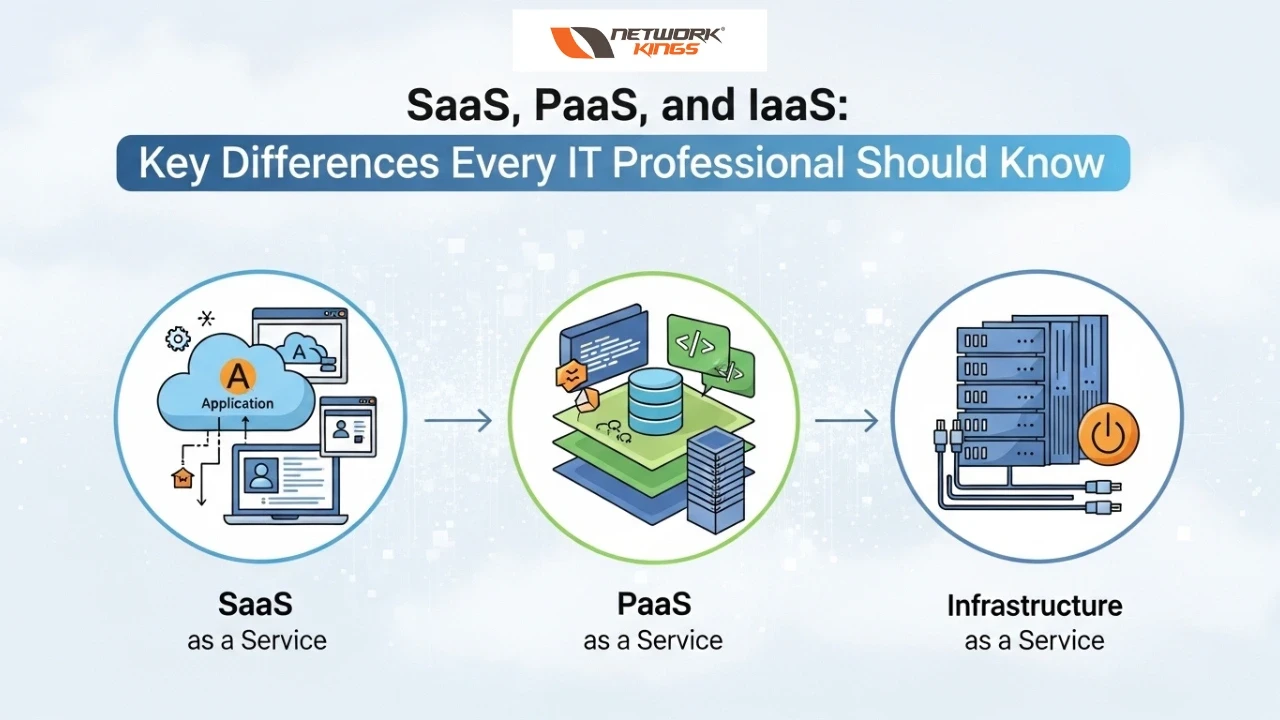
If you've spent any time in IT — whether you're managing infrastructure, advising on tech stacks, or just trying to keep the lights on — you've almost certainly run into the terms SaaS, PaaS, and IaaS. They're thrown around constantly in vendor pitches, architecture meetings, and cloud migration conversations. Despite how often they come up, a surprising number of professionals still find themselves fuzzy on the real-world distinctions among the three.
And honestly? That's understandable. On the surface, they're all "cloud services." But in practice, choosing the wrong model for your use case can mean wasted budget, technical debt, or a deployment that's harder to scale than it should be. So let's break this down clearly — not with a wall of jargon, but in a way that's actually useful on the job.
The Big Picture: What Is Cloud Service Delivery, Really?
Before diving into the three models, it helps to think about cloud computing as a spectrum of responsibility. On one end, you manage everything yourself (traditional on-premises infrastructure). On the other end, someone else manages nearly everything for you. SaaS, PaaS, and IaaS sit at different points on that spectrum.
The classic analogy that holds up pretty well: think of it like transportation.
IaaS is like leasing a car — you get the vehicle, but you handle insurance, fuel, and maintenance.
PaaS is like using a taxi or rideshare — the car and driver are taken care of, you just tell them where to go.
SaaS is like taking a bus — the whole system is set up for you, and you just hop on and ride.
Each model makes sense depending on where you're headed and how much control you need.
IaaS — Infrastructure as a Service
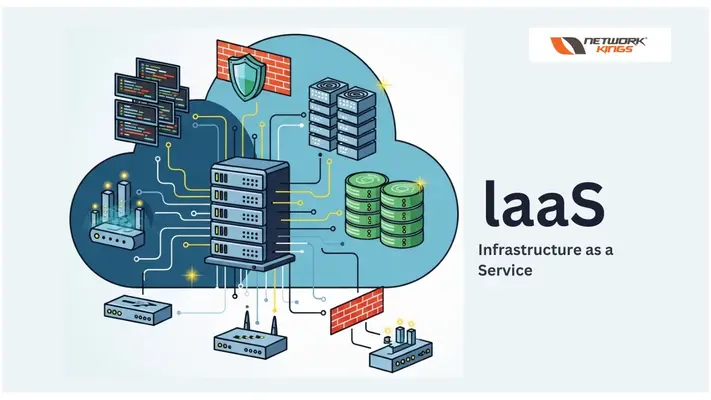
IaaS is the most "hands-on" of the three cloud models. Providers like Amazon Web Services (AWS), Microsoft Azure, and Google Cloud Platform (GCP) give you virtualized computing resources — servers, storage, networking, and data centers — delivered over the internet.
What you get with IaaS:
Raw compute power (virtual machines)
Scalable storage
Networking components (firewalls, load balancers, IP addresses)
What you're still responsible for:
Operating systems and their patches
Middleware and runtime environments
Applications and data security
Who should use IaaS? It's the go-to for organizations that need maximum flexibility and control — think enterprises running complex, custom workloads, companies migrating legacy applications to the cloud, or IT teams that want to replicate a traditional data center setup without the physical hardware. If your team has the in-house expertise to manage infrastructure, IaaS gives you the most room to customize.
The trade-off? More control means more responsibility. If you don't have the engineering resources to manage it properly, IaaS can quickly become an operational burden.
PaaS — Platform as a Service
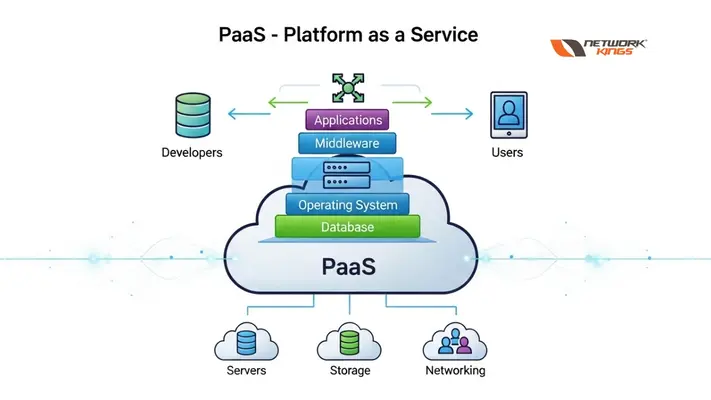
PaaS sits in the middle ground. The provider handles the underlying infrastructure and the runtime environment, so your development team can focus entirely on building and deploying applications without worrying about server management or OS updates.
Popular PaaS platforms include Google App Engine, Heroku, Microsoft Azure App Service, and Red Hat OpenShift.
What the provider handles:
Servers, networking, and storage
Operating systems and middleware
Runtime environments and databases
What you're still responsible for:
Your applications
The data your apps generate and use
Who should use PaaS? Development teams building web apps, APIs, or microservices will find PaaS invaluable. It dramatically shortens the time from code to deployment. DevOps teams also love PaaS for streamlining CI/CD pipelines. It's particularly strong for startups and product teams that want to move fast without building infrastructure from scratch.
One thing to watch out for: vendor lock-in. Because PaaS platforms are often tightly integrated with their provider's ecosystem, migrating away can be tricky if your needs evolve.
SaaS — Software as a Service
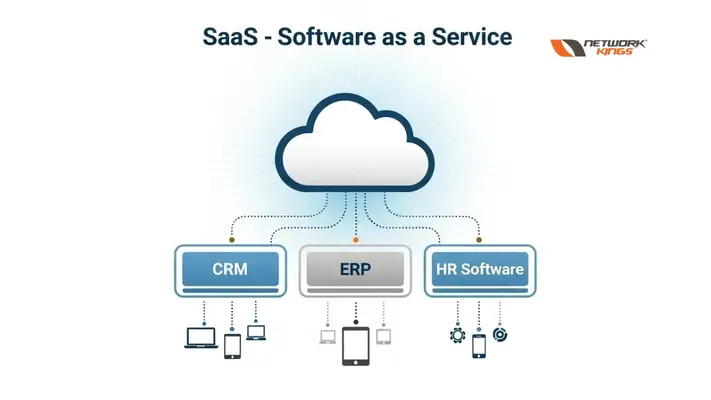
SaaS is the model most people interact with every day, often without even thinking about it. The provider delivers a fully functional, ready-to-use application over the internet. No installation, no configuration at the infrastructure or platform level — just log in and start working.
Examples include Salesforce, Google Workspace, Microsoft 365, Slack, Zoom, and Dropbox.
What the provider handles: Everything — infrastructure, platform, application updates, security patches, and uptime.
What you're responsible for:
Managing user access and permissions
Configuring the application to fit your workflows
Ensuring your data governance and compliance requirements are met
Who should use SaaS? Virtually every organization uses SaaS for something today. It's ideal for productivity tools, CRM platforms, HR software, and communication tools. It eliminates maintenance overhead entirely, making it great for non-technical teams or companies that want predictable, subscription-based costs.
The downside? Limited customization. You're working within the boundaries of what the vendor has built. If your workflows are highly specialized, SaaS might not go deep enough.
Choosing the Right Model: A Quick Decision Framework
Here's a straightforward way to think about which model fits your situation:
Question | Best Fit |
Need full infrastructure control? | IaaS |
Building and deploying custom apps fast? | PaaS |
Need a ready-to-use business application? | SaaS |
Have a skilled internal IT/DevOps team? | IaaS or PaaS |
Want zero infrastructure management? | SaaS |
In reality, most organizations today use a hybrid approach — SaaS for business tools, PaaS for application development, and IaaS for workloads that need granular control. There's no one-size-fits-all answer, and that's the point.
The Bottom Line
SaaS, PaaS, and IaaS aren't competing technologies — they're different tools for different jobs. The key is understanding where your team's expertise lies, what level of control your workloads actually require, and how much operational overhead you're willing to take on.
As cloud environments grow more complex and organizations push deeper into digital transformation, knowing these distinctions isn't just useful trivia — it's foundational knowledge for making smarter infrastructure decisions. Whether you're evaluating a new vendor, planning a migration, or just trying to explain the cloud to a stakeholder, getting clear on these three models is always time well spent.
FAQs
Q1. What is the simplest way to understand the difference between SaaS, PaaS, and IaaS?
Think of it in terms of how much you manage. With IaaS, you manage almost everything except the physical hardware. With PaaS, the provider handles infrastructure and the platform so you can focus on building apps. With SaaS, the provider handles everything — you just use the software. The more you move from IaaS to SaaS, the less you manage.
Q2. Which cloud model is best for a small business with no dedicated IT team?
SaaS is almost always the best fit. Tools like Google Workspace, Slack, or Microsoft 365 require zero infrastructure knowledge, are easy to set up, and run on a predictable subscription cost. There's nothing to install, patch, or maintain — which is exactly what a lean team needs.
Q3. Can a company use all three models — SaaS, PaaS, and IaaS — at the same time?
Absolutely, and most mid-to-large companies already do. A typical setup might use SaaS for HR and communication tools, PaaS for building and deploying internal applications, and IaaS for hosting databases or running high-performance compute workloads. This hybrid approach is considered best practice in modern cloud strategy.
Q4. Is IaaS more expensive than SaaS?
Not necessarily in raw cost, but IaaS often carries hidden costs in the form of skilled labor. You need engineers to configure, manage, monitor, and secure the infrastructure. SaaS has a higher per-seat subscription fee but eliminates those operational overheads. Total cost of ownership depends heavily on your team's size and expertise.
Q5. What is vendor lock-in, and which cloud model is most prone to it?
Vendor lock-in happens when your systems become so deeply tied to one provider's ecosystem that switching becomes painful and expensive. PaaS carries the highest lock-in risk because applications are often built using provider-specific tools, APIs, and runtimes. It's worth evaluating portability and open standards before committing to any PaaS platform long-term.

The founder of Network Kings, is a renowned Network Engineer with over 12 years of experience at top IT companies like TCS, Aricent, Apple, and Juniper Networks. Starting his journey through a YouTube channel in 2013, he has inspired thousands of students worldwide to build successful careers in networking and IT. His passion for teaching and simplifying complex technologies makes him one of the most admired mentors in the industry.