What Are the Components of DevOps and How Do They Work Together?
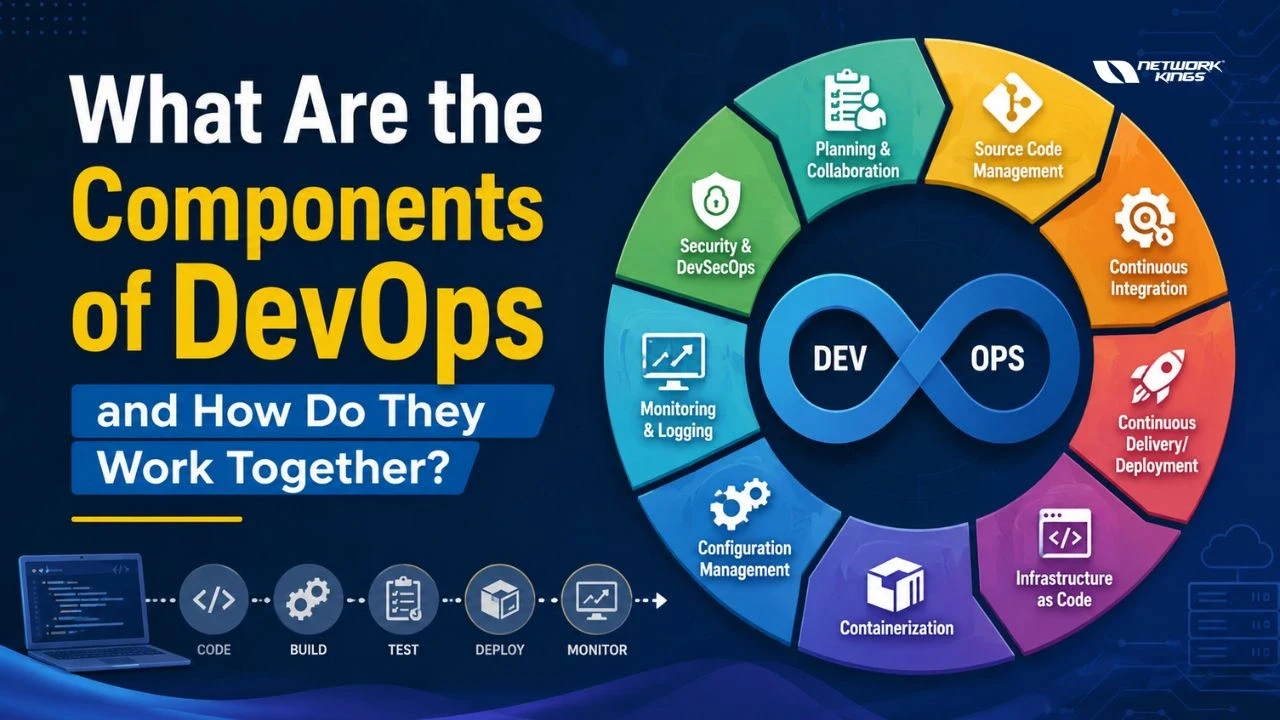
DevOps has transformed how organizations develop, deploy, and maintain software. Rather than treating development and operations as separate functions, DevOps breaks down silos and creates a unified culture of collaboration. But DevOps isn't just a mindset—it's a structured approach built on interconnected components of DevOps that work together seamlessly.
Understanding these components is essential for anyone involved in software delivery, whether you're a system administrator, cloud engineer, or technology decision-maker looking to modernize your development pipeline. The components of DevOps span the entire software lifecycle, from planning through deployment and monitoring. By grasping how each piece fits together, you'll be better equipped to implement an effective DevOps strategy in your organization.
DevOps Components at a Glance
Component | Purpose | Common Tools |
Planning & Collaboration | Define requirements and coordinate team efforts | Jira, Confluence, Azure DevOps |
Source Code Management | Version control and code repository management | Git, GitHub, GitLab, Bitbucket |
Continuous Integration | Automated code building and testing | Jenkins, GitLab CI, GitHub Actions |
Continuous Delivery/Deployment | Automated release and deployment to production | ArgoCD, Spinnaker, AWS CodeDeploy |
Infrastructure as Code | Define infrastructure through code and automation | Terraform, CloudFormation, Ansible |
Containerization | Package applications for consistent deployment | Docker, Podman, Singularity |
Configuration Management | Manage and standardize server configurations | Ansible, Puppet, Chef, SaltStack |
Monitoring and Logging | Track system performance and troubleshoot issues | Prometheus, ELK Stack, Datadog, New Relic |
Security and DevSecOps | Integrate security throughout the development lifecycle | SonarQube, Snyk, HashiCorp Vault |
Understanding the Core Components of DevOps
Planning and Collaboration
Every successful deployment begins with solid planning. The planning and collaboration component establishes the foundation for the entire DevOps workflow. This includes defining project requirements, creating user stories, estimating work, and managing backlogs. Tools like Jira and Azure DevOps help teams organize work and maintain visibility across the development process.
Collaboration is the backbone of DevOps culture. Development teams, operations teams, and security professionals must work together from the beginning rather than in isolation. This shared responsibility ensures that deployment goals align with operational capabilities and security requirements.
Source Code Management
Source code management, powered by version control systems like Git, is essential to modern development. It allows multiple developers to work on the same codebase without conflict, maintains a complete history of code changes, and enables teams to revert problematic changes quickly.
Git-based platforms like GitHub, GitLab, and Bitbucket extend basic version control with pull request reviews, branch management, and integration hooks that trigger downstream automation. These platforms serve as the single source of truth for your application code and become the entry point for your entire CI/CD pipeline.
Continuous Integration
Continuous Integration (CI) automates the process of integrating code changes into a shared repository multiple times daily. Every commit triggers an automated build, where the code is compiled and tested against a comprehensive test suite.
CI tools like Jenkins, GitHub Actions, and GitLab CI perform several critical functions:
Compile source code automatically
Run unit tests on every commit
Execute integration tests
Generate code quality reports
Check for code vulnerabilities
Build container images
Push artifacts to registries
By catching integration issues early and frequently, CI prevents the accumulation of problems that become expensive to fix later. This creates faster feedback loops and keeps your codebase in a releasable state at all times.
Continuous Delivery and Deployment
While CI focuses on building and testing, Continuous Delivery (CD) extends this automation to prepare software for production release. Continuous Delivery ensures that code is always in a deployable state, ready to be released at any moment through a manual approval step. Continuous Deployment takes this further by automatically releasing every validated change directly to production.
Key differences between the two approaches:
Continuous Delivery:
Code undergoes automated testing and validation
Manual approval is required before production deployment
Provides control for compliance and risk management
Teams decide when to deploy
Continuous Deployment:
Every validated change goes to production automatically
Zero manual approval steps
Requires strong automation and monitoring
Faster time-to-value for features and fixes
Tools like ArgoCD, Spinnaker, and cloud provider services (AWS CodeDeploy, Azure Pipelines) orchestrate these deployments across environments.
Infrastructure as Code
Infrastructure as Code (IaC) treats infrastructure the same way developers treat application code. Instead of manually provisioning servers, you define infrastructure through code that can be version-controlled, tested, and deployed automatically.
Terraform and CloudFormation are popular IaC tools that allow you to describe your infrastructure declaratively. Benefits of adopting IaC include:
Reproducing entire environments consistently
Version controlling all infrastructure changes
Testing infrastructure before deployment
Automating infrastructure provisioning
Scaling infrastructure on demand
Disaster recovery through code-based rebuilds
Cost estimation before deployment
Documentation that stays in sync with reality
With IaC, you can eliminate manual configuration errors and make scaling infrastructure as simple as changing a variable. Infrastructure becomes as trackable and reviewable as application code.
Containerization
Containerization packages applications with their dependencies into isolated, lightweight containers. Docker revolutionized this space by making containers practical and widely accessible. Containers ensure consistent behavior across development, testing, and production environments by bundling the application code, runtime, and system dependencies together.
Containers enable teams to think in terms of immutable artifacts rather than living servers. A Docker image built on a developer's laptop behaves identically when deployed to production. This consistency reduces the "it works on my machine" problem and dramatically simplifies deployment operations.
Configuration Management
Configuration management tools maintain consistency across your infrastructure. Tools like Ansible, Puppet, and Chef define how servers should be configured, installed software versions, and deployed applications. They ensure that every server in your infrastructure adheres to defined standards.
Ansible stands out for its simplicity and agentless architecture. It uses simple YAML syntax to describe server configurations and can manage infrastructure at scale without requiring agents installed on target machines. Configuration management becomes increasingly important as infrastructure grows beyond a handful of servers.
Monitoring and Logging
You can't improve what you don't measure. The monitoring and logging component provides visibility into system performance, application behavior, and security events. Monitoring tools like Prometheus and Datadog collect metrics from applications and infrastructure, while logging solutions like the ELK Stack (Elasticsearch, Logstash, Kibana) aggregate and analyze logs from multiple sources.
Effective monitoring enables teams to detect issues before they impact users, understand performance trends, and make data-driven decisions about infrastructure improvements. Alerting rules notify teams immediately when thresholds are breached, enabling rapid response to incidents.
Security and DevSecOps
Security cannot be an afterthought in DevOps. DevSecOps integrates security practices throughout the entire development lifecycle rather than treating it as a final phase. Security automation includes:
Automated code scanning for vulnerabilities
Dependency vulnerability assessments
Secret detection in code repositories
Compliance checking
Container image scanning
Infrastructure security validation
Runtime threat detection
Tools supporting DevSecOps include:
SonarQube for code quality and security scanning
Snyk for identifying vulnerable dependencies
HashiCorp Vault for managing secrets and credentials
Twistlock for container security
Aqua Security for cloud-native security.
By integrating these tools into your CI/CD pipeline, you catch security issues early when they're cheaper and faster to fix. Security becomes everyone's responsibility rather than a separate function.
How the Components of DevOps Work Together
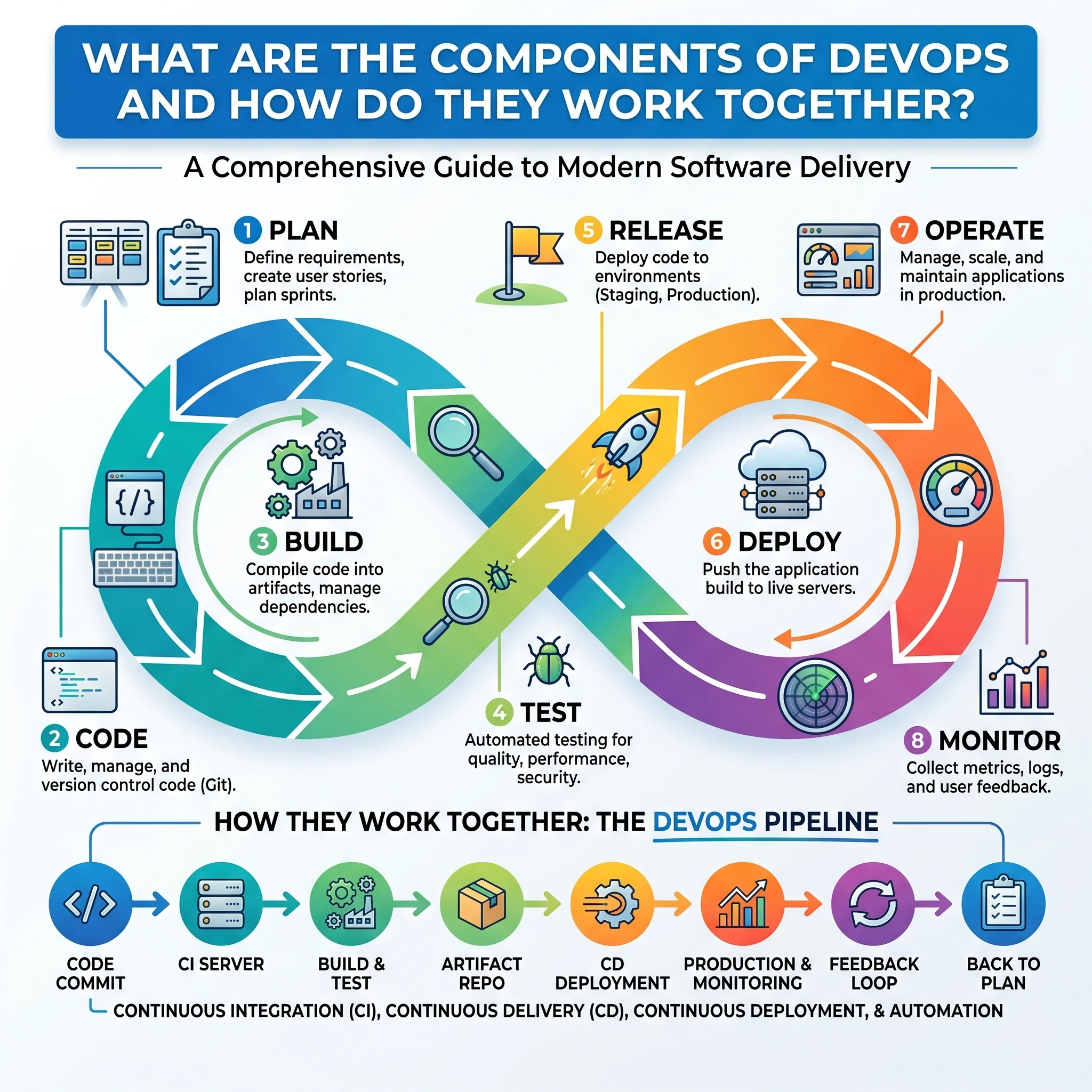
The true strength of DevOps comes from integrating all components into a seamless pipeline.
Consider a typical application development workflow:
Teams plan new features using collaboration tools.
Developers write code and store it in Git repositories.
Continuous Integration tools automatically build and test the code.
Infrastructure as Code provisions cloud resources when needed.
Docker containers package the application consistently.
Kubernetes deploys and manages containers at scale.
Configuration management tools ensure system consistency.
Continuous Delivery pipelines release updates automatically.
Monitoring systems track performance and generate alerts.
Security tools continuously scan for vulnerabilities throughout the process.
For example, an e-commerce company launching a new checkout feature can use Git for version control, Jenkins for automated testing, Terraform for cloud infrastructure provisioning, Docker for packaging, Kubernetes for deployment, and Prometheus for monitoring. Every component contributes to a faster and more reliable release cycle.
Benefits of Integrating DevOps Components
When organizations successfully implement DevOps practices, they gain several advantages.
Faster software deployments through automation.
Improved collaboration between development and operations teams.
Higher software quality due to continuous testing.
Better scalability using cloud-native technologies.
Enhanced security through integrated DevSecOps practices.
Reduced downtime through proactive monitoring and rapid recovery.
These benefits directly support business growth and customer satisfaction.
Common Challenges and Best Practices
Despite its advantages, DevOps adoption can present challenges.
Common obstacles include resistance to cultural change, tool complexity, skill gaps, and inconsistent processes.
To overcome these challenges:
Foster a culture of collaboration and shared responsibility.
Start with small automation initiatives before scaling.
Invest in DevOps training and continuous learning.
Standardize processes across teams.
Integrate security from the beginning rather than adding it later.
Organizations that focus on both culture and technology typically achieve the best results.
Conclusion
The components of DevOps form an interconnected system that transforms how organizations build, deploy, and maintain software. From planning and collaboration through source code management, continuous integration, continuous delivery, infrastructure as code, containerization, configuration management, monitoring, and security, each component serves a specific purpose while contributing to a larger whole. These components don't exist in isolation—their true power emerges when they work together seamlessly through automated pipelines and shared practices. Organizations that successfully integrate the components of DevOps into their development workflow achieve faster deployments, higher quality, improved security, and teams that are genuinely satisfied with their work. The journey requires cultural change, appropriate tooling, and continuous improvement, but the results speak for themselves across the industry.
FAQs
What are the main components of DevOps?
The main components of DevOps include planning and collaboration, source code management, Continuous Integration, Continuous Delivery, Infrastructure as Code, containerization, configuration management, monitoring and logging, and security through DevSecOps.
How does CI/CD fit into DevOps?
CI/CD serves as the automation backbone of DevOps. Continuous Integration automates code testing and validation, while Continuous Delivery and Deployment automate software releases.
Which tools are commonly used in DevOps?
Popular DevOps tools include Git, Jenkins, Docker, Kubernetes, Terraform, Ansible, Prometheus, Grafana, GitHub, GitLab, and Azure DevOps.
What is the role of Infrastructure as Code in DevOps?
Infrastructure as Code automates the provisioning and management of infrastructure resources using code, improving consistency, scalability, and deployment speed.
Why is monitoring important in DevOps?
Monitoring helps teams track application performance, detect issues quickly, reduce downtime, and maintain a positive user experience through continuous visibility into system health.

The founder of Network Kings, is a renowned Network Engineer with over 12 years of experience at top IT companies like TCS, Aricent, Apple, and Juniper Networks. Starting his journey through a YouTube channel in 2013, he has inspired thousands of students worldwide to build successful careers in networking and IT. His passion for teaching and simplifying complex technologies makes him one of the most admired mentors in the industry.