CI/CD Automation in 2026: The Complete Implementation Guide
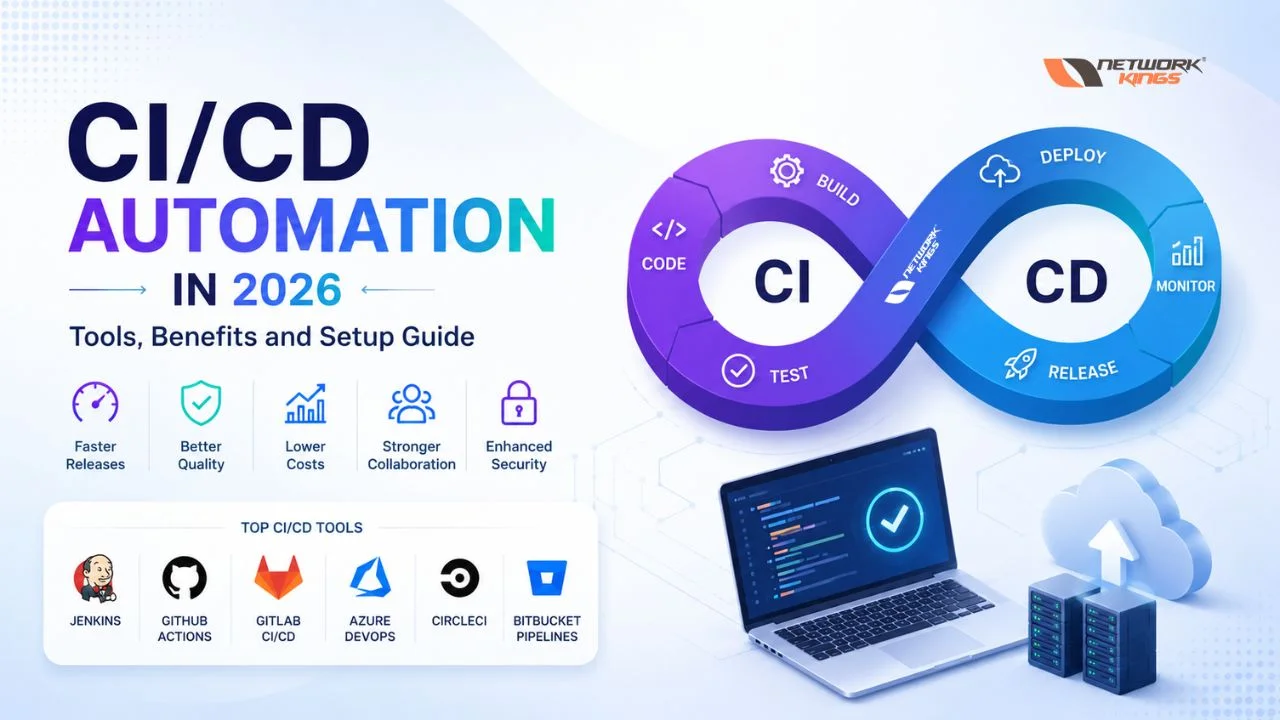
Software development has become faster, more complex, and more competitive than ever before. Organizations are expected to release updates quickly while maintaining high quality and strong security. This is where CI/CD Automation plays a vital role. Instead of relying on manual deployments and repetitive testing, modern development teams use automated pipelines to build, test, secure, and deploy applications with minimal human intervention.
Whether you're a DevOps Engineer, Software Developer, Cloud Engineer, or IT leader, understanding CI/CD Automation can help you deliver software faster, reduce deployment risks, and improve collaboration across teams. In this guide, you'll learn how CI/CD pipelines work, explore the best CI/CD tools in 2026, discover implementation best practices, and understand future trends shaping DevOps Automation.
What Is CI/CD Automation
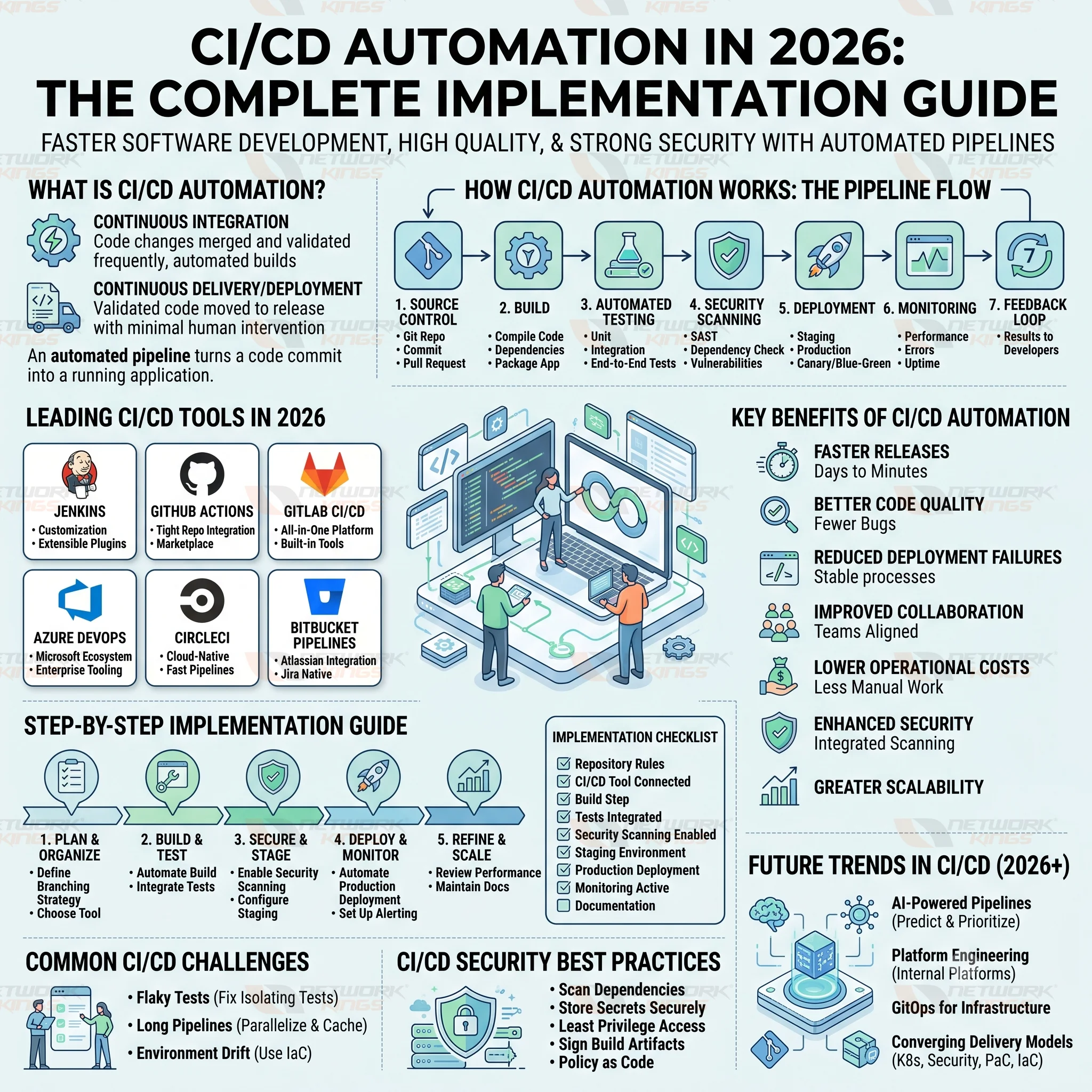
CI/CD automation is the practice of using tools to automatically build, test, and deploy code every time a developer makes a change. It removes manual handoffs between writing code and getting it into production.
CI stands for continuous integration, where code changes are merged and validated frequently. CD stands for continuous delivery or continuous deployment, where validated code moves toward release with minimal human intervention. Together, they form a pipeline that turns a code commit into a running application without someone babysitting every step.
How CI/CD Automation Works
A CI/CD pipeline is really a chain of automated checkpoints. Each stage catches problems before they reach your users.
Source Control
Every pipeline starts with a code repository, usually Git based. When a developer pushes a commit or opens a pull request, that action triggers the pipeline automatically.
Build
The pipeline compiles the code, resolves dependencies, and packages the application. A broken build stops everything right here, which saves teams from wasting time testing code that will not even run.
Automated Testing
Unit tests, integration tests, and sometimes end-to-end tests run automatically. This is where most bugs get caught before a human ever sees them.
Security Scanning
Static analysis tools and dependency scanners check for vulnerabilities and misconfigurations. This step has become standard practice under the DevSecOps model.
Deployment
Once code passes every gate, it moves to staging or production. Teams often use blue-green or canary deployment strategies to limit the blast radius of any issue.
Monitoring
After deployment, monitoring tools track performance, error rates, and uptime. Problems get flagged immediately instead of days later.
Feedback Loop
Results from testing, deployment, and monitoring flow back to developers. This closes the loop and helps teams improve the pipeline itself over time.
Benefits of CI/CD Automation
Teams that invest in CI/CD automation see returns across both technical and business metrics.
Faster releases, since manual steps that used to take days now happen in minutes
Better code quality, because automated tests catch regressions early
Reduced deployment failures, thanks to consistent, repeatable release processes
Improved collaboration between developers, QA, and operations teams
Lower operational costs from reduced manual work and fewer production incidents
Faster feedback cycles that help developers fix issues while the context is still fresh
Enhanced security through automated scanning built directly into the workflow
Greater scalability as teams add more services without adding proportional manual effort
Best CI/CD Automation Tools in 2026
Choosing the right CI/CD tool depends on your team size, cloud provider, and existing infrastructure. Here is how the leading options compare.
Tool | Best For | Advantages | Limitations |
Jenkins | Teams needing full customization | Free, highly extensible plugin ecosystem, self-hosted control | Requires ongoing maintenance, steeper learning curve |
GitHub Actions | Teams already using GitHub | Tight repo integration, large marketplace of pre-built actions | Can get costly at scale for private repos |
GitLab CI/CD | Teams wanting an all-in-one DevOps platform | Built-in CI/CD, security scanning, and project management | Best experience tied to GitLab hosting |
Azure DevOps | Enterprises in the Microsoft ecosystem | Strong integration with Azure services and enterprise tooling | Interface can feel complex for smaller teams |
CircleCI | Teams wanting fast, cloud native pipelines | Quick setup, strong caching and parallelism | Free tier limits can constrain heavy usage |
Bitbucket Pipelines | Teams using Atlassian tools | Native integration with Jira and Bitbucket repos | Fewer third-party integrations than competitors |
Step by Step CI/CD Implementation Guide
Getting started does not require a complete overhaul on day one. Build the pipeline gradually and expand it as your confidence grows.
Choose a version control system and structure your repository with clear branching rules.
Select a CI/CD tool that matches your existing stack, such as GitHub Actions for GitHub repos or GitLab CI for GitLab users.
Write a basic pipeline configuration that builds your application on every commit.
Add automated unit tests to the pipeline before anything else.
Introduce security scanning tools to check dependencies and code for vulnerabilities.
Configure staging environments for pre-production validation.
Automate deployment to production using a strategy like canary or blue-green releases.
Set up monitoring and alerting so your team knows immediately if something breaks.
Review pipeline performance regularly and refine slow or flaky steps.
Implementation Checklist
Repository with defined branching strategy
CI/CD tool selected and connected to source control
Automated build step configured
Unit and integration tests integrated
Security and dependency scanning enabled
Staging environment set up
Deployment automation configured
Monitoring and alerting active
Documentation for the pipeline maintained and accessible
Common CI/CD Challenges
Even mature teams run into friction. Knowing the common issues ahead of time makes them easier to solve.
Flaky tests are one of the most frustrating problems, since they cause pipelines to fail randomly and erode trust in automation. Fix this by isolating tests, removing timing dependencies, and rerunning only the failed segment rather than the whole suite.
Long pipeline run times slow teams down and discourage frequent commits. Parallelizing test suites and caching dependencies usually cuts build times significantly.
Configuration drift between environments causes bugs that only appear in production. Infrastructure as Code tools help keep environments consistent from development through deployment.
CI/CD Security Best Practices
Security cannot be an afterthought bolted onto the end of a pipeline. It needs to be built in from the start, a practice widely known as DevSecOps.
Scan dependencies for known vulnerabilities on every build
Store secrets in a dedicated secrets manager instead of hardcoding them
Enforce least privilege access for pipeline service accounts
Sign build artifacts to verify integrity before deployment
Apply policy as code to enforce compliance rules automatically
Future Trends
CI/CD is not standing still. Several shifts are shaping how teams will build pipelines going forward.
AI-powered pipelines are starting to predict which tests are most likely to fail and prioritize them, cutting wasted compute time. Platform engineering teams are building internal developer platforms that abstract pipeline complexity away from individual engineers. GitOps continues to grow as teams manage infrastructure state through version-controlled repositories. Kubernetes automation, security automation, policy as code, and infrastructure as code are converging into a single, more intelligent delivery model that catches problems earlier and requires less manual oversight.
CI/CD automation has moved from a competitive advantage to a baseline expectation for software teams in 2026. Getting it right means understanding each stage of the pipeline, picking tools that fit your workflow, and building security in from the beginning rather than as an afterthought. Start with a simple pipeline, expand it step by step, and you will see faster releases and fewer late-night production fires within just a few sprints.
FAQs
What is the difference between continuous delivery and continuous deployment?
Continuous delivery automates everything up to production but still requires a manual approval to release. Continuous deployment removes that manual step entirely, automatically releasing every change that passes the pipeline.
Which CI/CD tool is best for beginners?
GitHub Actions is often the easiest starting point since it integrates directly with GitHub repositories and requires no separate server setup.
Is Jenkins still relevant in 2026?
Yes, Jenkins remains widely used, especially in enterprises that need deep customization and self-hosted control over their pipeline infrastructure.
How long does it take to set up a basic CI/CD pipeline?
A simple pipeline covering build and test automation can be set up in a few hours. However, a mature pipeline with security scanning and deployment automation typically takes several weeks to refine.
What is DevSecOps?
DevSecOps is the practice of integrating security checks directly into the CI/CD pipeline instead of treating security as a separate, later stage.
Can small teams benefit from CI/CD automation?
Yes, small teams often see faster gains since automation eliminates manual release work that would otherwise consume a disproportionate share of limited engineering time.

The founder of Network Kings, is a renowned Network Engineer with over 12 years of experience at top IT companies like TCS, Aricent, Apple, and Juniper Networks. Starting his journey through a YouTube channel in 2013, he has inspired thousands of students worldwide to build successful careers in networking and IT. His passion for teaching and simplifying complex technologies makes him one of the most admired mentors in the industry.