Personal Area Network vs LAN vs WAN Explained for Beginners
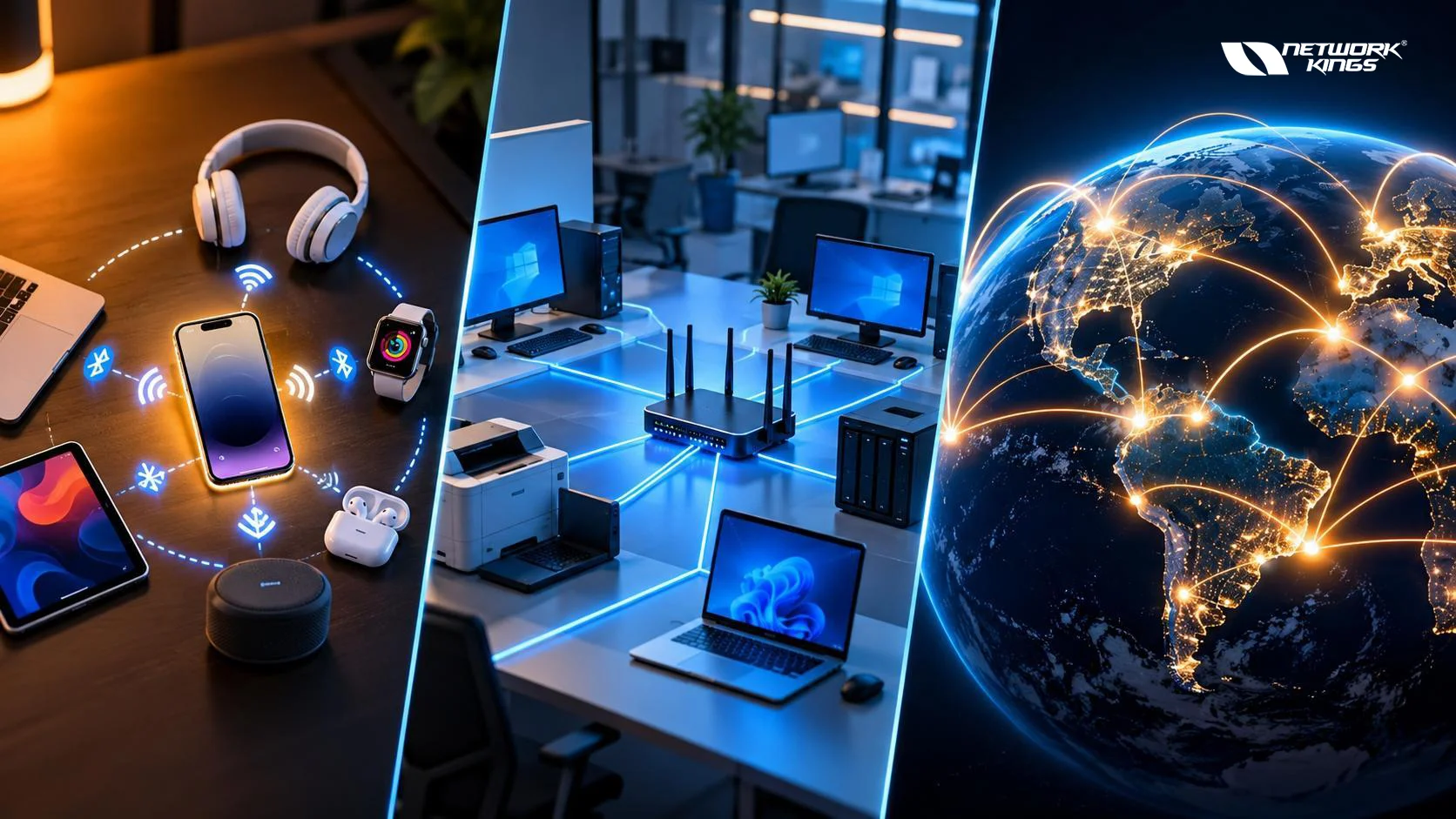
When comparing Personal Area Network vs LAN vs WAN, the biggest difference is the scope of the network. A PAN connects devices around an individual, a LAN connects devices within a limited location such as a home or office, and a WAN connects networks across larger geographical areas.
These three network types are not simply different versions of the same technology. They describe networks primarily by their coverage, purpose, architecture, and deployment environment. For example, your smartwatch and smartphone may communicate through a PAN, your home devices may operate on a LAN, and that LAN can connect to services across a WAN such as the internet.
Understanding these differences is useful for networking students, IT professionals, and anyone preparing for networking certifications.
What Is a Personal Area Network
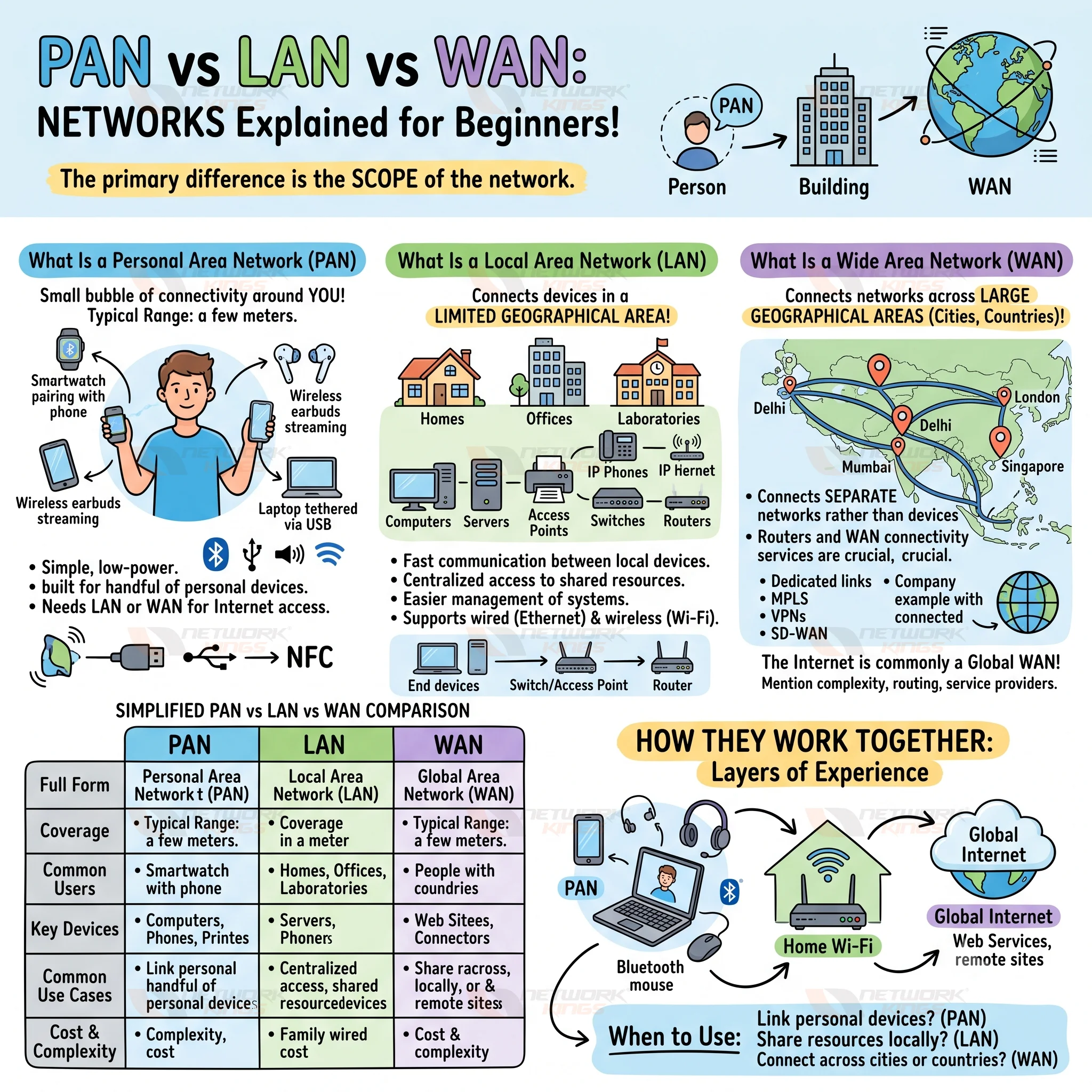
A PAN is the small bubble of connectivity around you. Your smartwatch pairing with your phone, wireless headphones streaming audio, or a laptop tethered to a phone over USB are all PAN connections. Range is typically a few meters, though it varies by technology.
Wireless PANs usually rely on Bluetooth, while wired PANs use something like a USB cable. So a PAN is not always wireless, even though that is how most people meet it.
Advantages and limits of a PAN
PANs are simple, low-power, and need almost no setup. The trade-offs are the short range and the fact that they are built for a handful of personal devices, not shared resources. A PAN also does not give you internet access by itself. It needs a LAN or WAN connection behind it.
What Is a Local Area Network
A Local Area Network, or LAN, connects devices within a relatively limited geographical area. Homes, offices, schools, laboratories, and individual buildings commonly use LANs.
LAN connectivity can use Ethernet, Wi-Fi, or a combination of wired and wireless technologies. A business LAN might include computers, servers, printers, IP phones, access points, switches, and other network devices.
A typical office network might work like this:
End devices → Switch or Wi-Fi access point → Router → Other networks
Switches primarily connect devices within the LAN, while routers can provide connectivity between the LAN and other networks.
LANs offer several practical benefits:
Fast communication between local devices
Centralized access to shared resources
Easier management of connected systems
Support for wired and wireless connectivity
Local access to servers, printers, applications, and other resources
A LAN is still geographically limited compared with a WAN. However, the exact size of a LAN can vary depending on the organization's network design.
What Is a Wide Area Network
A Wide Area Network, or WAN, connects networks across larger geographical areas. A WAN can connect offices in different cities, regions, or countries.
Unlike a LAN, a WAN is generally concerned with connecting separate networks rather than simply connecting nearby end devices. Routers and WAN connectivity services play an important role in this process.
For example, a company might have LANs in Delhi, Mumbai, London, and Singapore. A WAN can provide connectivity between those geographically separated locations.
WAN technologies and services can include:
Dedicated or leased connectivity
MPLS
Site-to-site VPNs
Internet-based connectivity
Carrier and cloud connectivity services
The internet is commonly described as a global WAN, although it is more accurately a network of interconnected networks operated by many organizations rather than a single privately managed WAN.
WANs provide broad connectivity, but they can introduce additional complexity involving routing, service providers, security, latency, redundancy, and operational costs.
PAN vs LAN vs WAN Comparison
Factor | PAN | LAN | WAN |
Full form | Personal Area Network | Local Area Network | Wide Area Network |
Coverage | Around one person, often a few meters | A home, office, school, or building | Cities, countries, or regions |
Typical users | Individuals | Households, businesses, schools | Enterprises, carriers, internet users |
Common technologies | Bluetooth, USB, NFC | Ethernet, Wi-Fi | MPLS, leased lines, VPN, SD-WAN, internet links |
Typical devices | Phones, watches, headphones | Switches, routers, access points | Routers, carrier equipment, firewalls |
Speed | Varies by technology | Varies widely, often high locally | Varies by link and provider |
Ownership | Usually the individual | Usually the home or organization | Often a mix of provider and customer |
Common use cases | Pairing personal devices | Sharing files, printers, internet access | Connecting sites, cloud access, remote work |
Cost and complexity | Low | Moderate | Higher, often provider-dependent |
The main PAN vs LAN vs WAN difference is network scope. PAN focuses on personal devices, LAN connects devices within a local environment, and WAN connects separate networks across larger geographical areas.
How PAN, LAN and WAN Work Together
These networks are layers of one everyday experience, not competitors. Picture your smartwatch syncing with your phone over Bluetooth. That is a PAN. Your phone then joins the home Wi-Fi, which is your LAN. The home router connects that LAN to your internet provider, and through it you reach services across the internet, which acts as a WAN.
Enterprises follow the same pattern at a larger scale. Employees connect peripherals over PANs, sit on office LANs, and reach other sites and cloud platforms over the company WAN. Yes, a LAN can connect to a WAN, and that connection is usually made by a router.
When to Use PAN, LAN or WAN
In practice, you rarely pick one. You choose based on where devices are and who needs to talk to whom.
A PAN makes sense when you want to link personal devices over a short range, such as earbuds, a fitness tracker, or a keyboard.
A LAN fits when devices in one home, office, school, or building need to share resources and local connectivity.
A WAN is the answer when networks or users must communicate across cities, countries, or larger areas.
Conclusion
The key difference between a Personal Area Network vs LAN vs WAN is the scale and purpose of connectivity. A PAN focuses on personal devices, a LAN provides connectivity within a local environment, and a WAN connects networks across larger geographical areas.
Understanding how these network types relate to technologies such as Bluetooth, Wi-Fi, Ethernet, routing, VPNs, MPLS, and SD-WAN provides a more practical foundation than simply memorizing their definitions. For networking learners and IT professionals, this understanding also makes it easier to interpret real-world network architectures and troubleshoot connectivity across different network scopes.
Frequently Asked Questions (FAQs)
Can a PAN connect to a LAN?
Yes. A phone that pairs with a watch over Bluetooth can also join a Wi-Fi LAN, acting as the bridge between the two.
Is the internet a WAN?
It is the largest example of one, but it is a global collection of networks rather than a single managed WAN. Private WANs also exist.
How does LAN routing differ from WAN routing?
Inside a LAN, switching handles most traffic and routing is often simple. Over a WAN, routers use protocols like BGP or OSPF to choose paths between separate networks.
Can a WAN contain multiple LANs?
Yes, and that is a classic design. Each branch runs its own LAN, and the WAN joins them.
What role does a router play between a LAN and a WAN?
It forwards traffic between them, and commonly handles addressing functions like NAT and basic security policies at that boundary.
How does SD-WAN differ from a traditional WAN?
Traditional WANs rely on fixed, often single-carrier circuits. SD-WAN adds software control that can steer traffic across several links based on application needs.
Which network type is common in enterprises?
All three appear. LANs serve each site, WANs tie sites together, and PANs show up through employee devices.
Is a wireless LAN the same as a wireless PAN?
No. A wireless LAN, like Wi-Fi, covers a building or floor and serves many devices. A wireless PAN, like Bluetooth, covers a much smaller personal space.

The founder of Network Kings, is a renowned Network Engineer with over 12 years of experience at top IT companies like TCS, Aricent, Apple, and Juniper Networks. Starting his journey through a YouTube channel in 2013, he has inspired thousands of students worldwide to build successful careers in networking and IT. His passion for teaching and simplifying complex technologies makes him one of the most admired mentors in the industry.