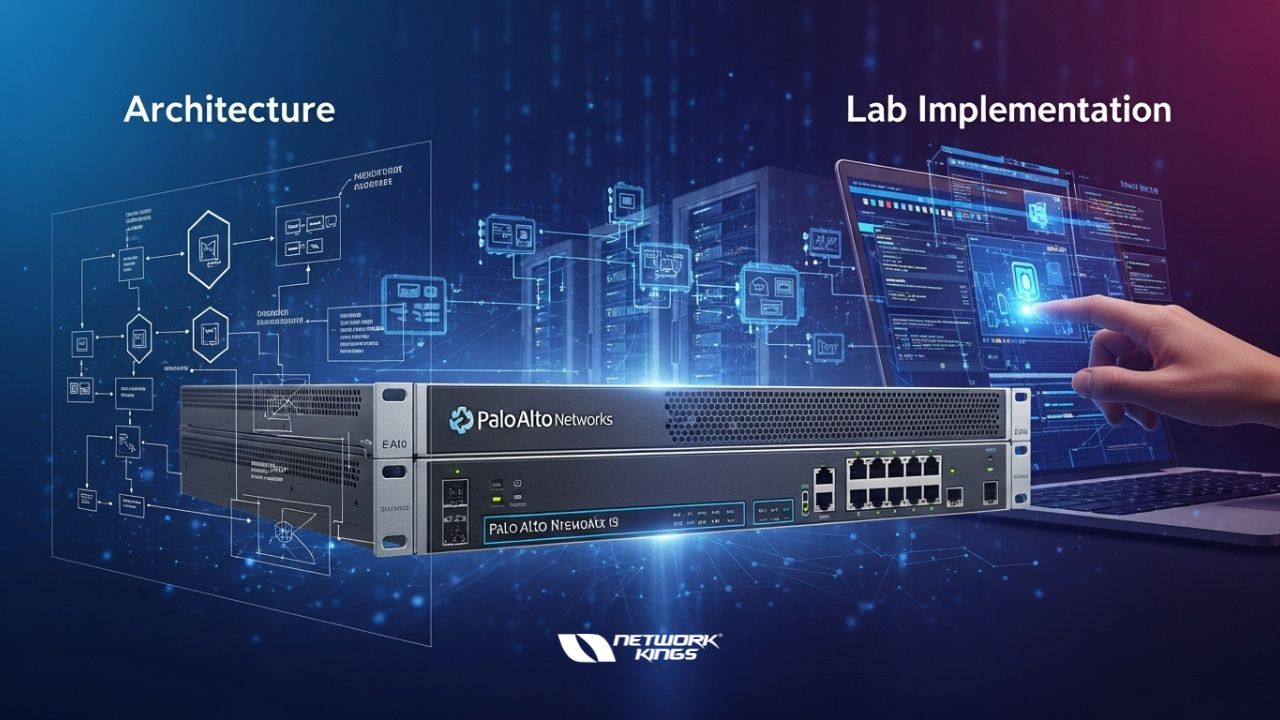
Palo Alto Firewalls: Guide to Models, Architecture, and Lab Implementation
In today’s increasingly complex cybersecurity landscape, organizations face unprecedented challenges in protecting their networks from sophisticated threats. With cyberattacks evolving at a rapid pace, the need for robust, intelligent security infrastructure has become mission-critical. Palo Alto Networks stands at the forefront of network security innovation, offering a comprehensive suite of next-generation firewalls (NGFWs) designed to meet the diverse security requirements of enterprises, mid-market organizations, and branch offices worldwide.
Whether you’re evaluating firewall solutions for your organization, planning a network upgrade, or setting up a security testing environment, understanding Palo Alto’s firewall ecosystem is essential.
Section 1: Understanding Palo Alto Firewall Models and Types
The Complete Palo Alto Firewall Ecosystem
Palo Alto Networks doesn’t offer a one-size-fits-all approach to network security. Instead, they provide a diverse portfolio of firewall solutions, each optimized for specific deployment scenarios and scale requirements. This modular approach ensures organizations can select solutions that precisely match their technical needs and budget constraints.
Physical Firewalls
Physical firewalls remain the backbone of enterprise network security, offering dedicated hardware designed for high-performance threat prevention. Palo Alto’s physical firewall lineup includes several series, each engineered for distinct use cases:
• 400 Series Firewalls: Ideal for small branch offices and remote locations with limited bandwidth requirements, these compact units deliver essential security features without requiring substantial physical space or power infrastructure.
• 800 Series Firewalls: Designed for larger branch offices, these systems provide enhanced throughput and concurrent session handling capabilities, making them suitable for mid-sized locations with moderate to significant traffic volumes.
• 3400 and 5400 Series Firewalls: These models serve as the backbone of corporate network perimeters, engineered to handle demanding company edge deployments where security policies must be enforced across multiple network segments without compromising performance.
• 7000 Series Firewalls: Representing the pinnacle of Palo Alto’s physical firewall lineup, these enterprise-grade systems are designed for internet service providers (ISPs) and large-scale environments requiring exceptional throughput and the ability to inspect massive traffic volumes while maintaining sub-millisecond latencies.
Virtual Machine Series (VM Series)
For organizations seeking deployment flexibility without the constraints of physical hardware, Palo Alto’s VM Series firewalls deliver comparable security functionality in virtualized environments. These solutions operate on popular hypervisors, including VMware ESXi, providing several strategic advantages:
• Dynamic resource allocation (CPU, RAM, storage) based on changing security requirements
• Elimination of physical appliance management overhead
• Seamless integration with existing virtual infrastructure
• Identical configuration and policy management compared to physical counterparts
The primary trade-off organizations should understand is that VM Series firewalls typically deliver lower throughput performance than dedicated physical hardware, though this limitation is often insignificant for organizations prioritizing flexibility over maximum throughput.
Cloud-Native Series (CN Series)
For organizations embracing containerized application architectures and Kubernetes orchestration, Palo Alto’s CN Series firewalls provide security inspection capabilities native to container environments. These systems eliminate the need for external appliances while maintaining consistent security policies across microservices architectures.
Cloud-Delivered Security Services (CDSS)
Beyond traditional firewall appliances, Palo Alto offers cloud-based security services that extend protection beyond the network perimeter:
• Threat prevention updates delivered via cloud infrastructure for always-current threat intelligence
• DNS security services preventing malware distribution and phishing attacks
• WildFire cloud sandboxing for zero-day threat detection and analysis
Critical Considerations for Model Selection
Selecting the appropriate Palo Alto firewall model requires evaluation of multiple factors working in concert:
Throughput Requirements: Network bandwidth and concurrent session capacity are foundational selection criteria. Datasheets provide detailed performance specifications—compare these metrics against your organization’s traffic patterns, peak utilization periods, and projected growth trajectories.
Hardware Specifications: CPU core count and overall hardware capacity directly correlate with security inspection depth and processing capability. More robust hardware enables advanced threat prevention features to operate without performance degradation.
Budget Constraints: Palo Alto firewalls represent a significant capital investment. Organizations must balance security requirements against budget realities, often finding that mid-tier models provide optimal value propositions for their specific circumstances.
Future Growth: Account for network expansion when selecting models. Choosing systems with adequate headroom for growth prevents costly replacements as the organization scales.
Section 2: Physical Firewall Hardware Architecture and Port Configuration
Understanding Front Panel Components
A thorough understanding of physical firewall hardware architecture is essential for proper deployment and troubleshooting. The front panel of Palo Alto physical firewalls contains several critical components:
Console Port
The console port serves as the out-of-band management interface, requiring no IP address configuration. This dedicated interface remains invaluable for initial device configuration, troubleshooting network connectivity issues, and accessing the firewall when standard network connectivity fails. IT teams typically use RS-232 serial connections or USB adapters to establish console connectivity.
Management Port
Distinct from the console port, the management interface requires IP address configuration and enables network-based administrative access. IT teams use the management port for routine configuration, monitoring, and updates performed through the firewall’s web-based GUI or CLI interface. Proper segmentation of management traffic on dedicated VLANs enhances security posture.
Data Ports
Data ports handle actual network traffic inspection and are available in multiple connector types optimized for different bandwidth requirements:
• RJ45 Gigabit Ethernet ports for standard branch office deployments
• SFP (Small Form-Factor Pluggable) ports for 10 Gigabit Ethernet connections
• QSFP (Quad Small Form-Factor Pluggable) ports for 40 Gigabit and higher bandwidth requirements
High Availability (HA) Ports
Organizations requiring continuous service availability deploy firewall pairs in active/passive or active/active configurations. Dedicated HA ports facilitate failover communications:
• HA1 Port (Control Plane): Synchronizes routing decisions, policy configurations, and security settings between active and standby units
• HA2 Port (Data Plane): Enables active/active configurations where both units process traffic simultaneously, with automatic failover upon detection of active unit failure
Back Panel Architecture
The back panel typically includes redundant console and management ports for resilience, ensuring administrative access remains available even if primary ports experience hardware failure. Additionally, USB ports facilitate PAN-OS operating system installation and updates in scenarios where internet connectivity is unavailable or restricted by corporate policy.
Section 3: PAN-OS Operating System and Core Configuration
Unified Operating System Across Platforms
A significant architectural advantage of Palo Alto’s approach is PAN-OS, a unified operating system deployed across physical firewalls, virtual machines, and cloud-native deployments. This consistency means security teams require minimal retraining when transitioning between deployment types—configuration methods, command syntax, and policy structures remain identical regardless of underlying hardware.
Configuration Access Methods
IT teams access and manage Palo Alto firewalls through two primary interfaces:
Web-Based GUI: The intuitive graphical interface appeals to administrators preferring visual policy management, offering point-and-click configuration of security policies, user management, and threat prevention settings.
Command-Line Interface (CLI): Power users and scripting teams leverage the CLI for batch configuration, automation, and advanced troubleshooting tasks. The CLI enables direct OS interaction and facilitates integration with infrastructure-as-code practices.
Essential Configuration Commands
Understanding key PAN-OS commands ensures efficient administration:
• show system info: Displays comprehensive system details including hardware specifications, OS version, and licensing information
• set cli config-output-format set: Formats configuration output in readable “set” command format, facilitating documentation and policy analysis
• commit: Applies all pending configuration changes to the running configuration—a critical step often overlooked by new administrators
Default Authentication and Security
Palo Alto firewalls ship with default credentials (username: admin, password: admin) to facilitate initial configuration. Security best practices mandate changing these credentials immediately upon first login, typically to organization-specific passwords meeting corporate complexity requirements.
Section 4: Single Pass Parallel Processing Architecture (SP3)
Why Traditional Firewalls Underperform
Traditional firewall architectures process network traffic sequentially through multiple inspection engines. This sequential processing creates bottlenecks where traffic waits in queues while the firewall completes application identification before performing user identification, which must complete before content scanning begins, and so forth. This inefficiency creates latency and prevents systems from achieving theoretical maximum throughput during security-intensive workloads.
Palo Alto’s Revolutionary SP3 Architecture
Palo Alto Networks addressed these architectural limitations through the Single Pass Parallel Processing (SP3) architecture. Rather than processing traffic sequentially, SP3 performs all security functions simultaneously:
• Application Identification and Categorization: Immediately identifies applications running across the network, enabling policy enforcement based on application type rather than just ports and protocols
• User Identification: Correlates traffic with authenticated users, enabling user-based security policies and activity logging
• Content Scanning: Examines payload content for malicious signatures and anomalous patterns
• Threat Prevention: Applies threat intelligence to identify and block known malicious content
• URL Filtering: Categorizes and filters websites based on organizational policy
This parallel processing eliminates queuing delays and enables firewalls to maintain high throughput while executing comprehensive security inspection—a significant performance advantage over competing platforms.
Understanding Data Plane and Control Plane Separation
Effective firewall architecture separates concerns between two distinct functional areas:
Control Plane: Handles decision-making processes, including routing calculations, policy rule matching, and security configuration. Control plane processes operate continuously but represent a small percentage of system resources.
Data Plane: Executes the forwarding decisions made by the control plane, processing millions of packets per second through security policies. Data plane performance directly impacts user experience and network efficiency.
This separation ensures policy changes don’t interrupt active traffic flows and enables control plane updates without disrupting data forwarding.
Section 5: Enterprise Management and Centralized Control
Panorama: Centralized Firewall Management
Organizations deploying multiple Palo Alto firewalls across distributed locations face significant management complexity without centralized control solutions. Panorama addresses this challenge through centralized management capabilities, enabling IT teams to:
• Define consistent security policies across all firewalls, preventing policy inconsistencies that create security gaps
• Deploy policy updates simultaneously across entire firewall estates
• Monitor and analyze traffic patterns across all managed firewalls
• Maintain detailed audit logs of all administrative changes
• Manage device licensing and update schedules from a single interface
Conclusion
Palo Alto Networks’ next-generation firewall portfolio provides sophisticated security capabilities adaptable to diverse organizational requirements. From compact branch office firewalls to ISP-class systems, virtual machine deployments, and cloud-native solutions, Palo Alto offers options for virtually every security use case.
Understanding firewall models, physical architecture, PAN-OS configuration fundamentals, and advanced features like SP3 parallel processing and Panorama management enables IT teams to design secure, scalable network infrastructures. Hands-on lab experience accelerates learning and builds confidence in deploying these powerful security systems.

The founder of Network Kings, is a renowned Network Engineer with over 12 years of experience at top IT companies like TCS, Aricent, Apple, and Juniper Networks. Starting his journey through a YouTube channel in 2013, he has inspired thousands of students worldwide to build successful careers in networking and IT. His passion for teaching and simplifying complex technologies makes him one of the most admired mentors in the industry.