F5 Technologies: BIG-IP Load Balancing, Features & Uses
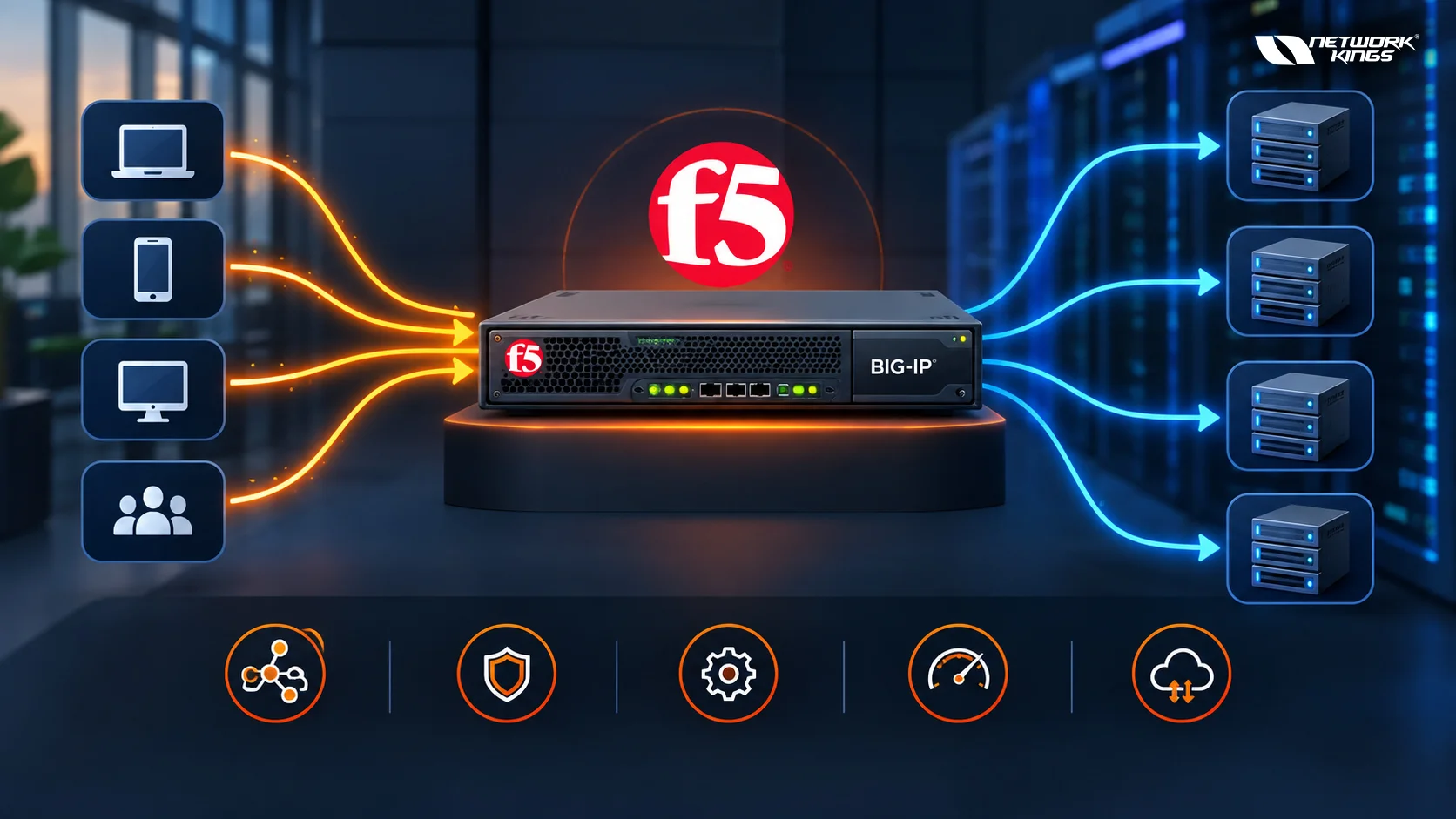
F5 Technologies builds software and hardware that manage how application traffic moves across a network. Its flagship product, BIG-IP, sits between users and application servers, deciding how each request gets handled before it ever reaches its destination. The core function most people associate with BIG-IP is load balancing, specifically through a module called Local Traffic Manager, or F5 LTM.
At its simplest, F5 LTM takes incoming client requests and spreads them across multiple backend servers instead of letting one server absorb all the traffic. This prevents overload, keeps applications responsive, and allows a server to be taken offline for maintenance without users noticing. The rest of this article breaks down how that process actually works.
What F5 BIG-IP Is
BIG-IP is a platform that provides different traffic management and security capabilities depending on the products and configuration deployed. BIG-IP LTM focuses specifically on local application traffic management and load balancing, while other F5 solutions address areas such as application security, DNS traffic management, and access control.
BIG-IP can be deployed in physical, virtual, and cloud environments. This allows organizations to use similar traffic-management concepts across traditional data centers and cloud infrastructure, although the exact deployment model and capabilities depend on the F5 product and environment.
How BIG-IP Load Balancing Works
The clearest way to understand BIG-IP load balancing is to follow a single request through the system.
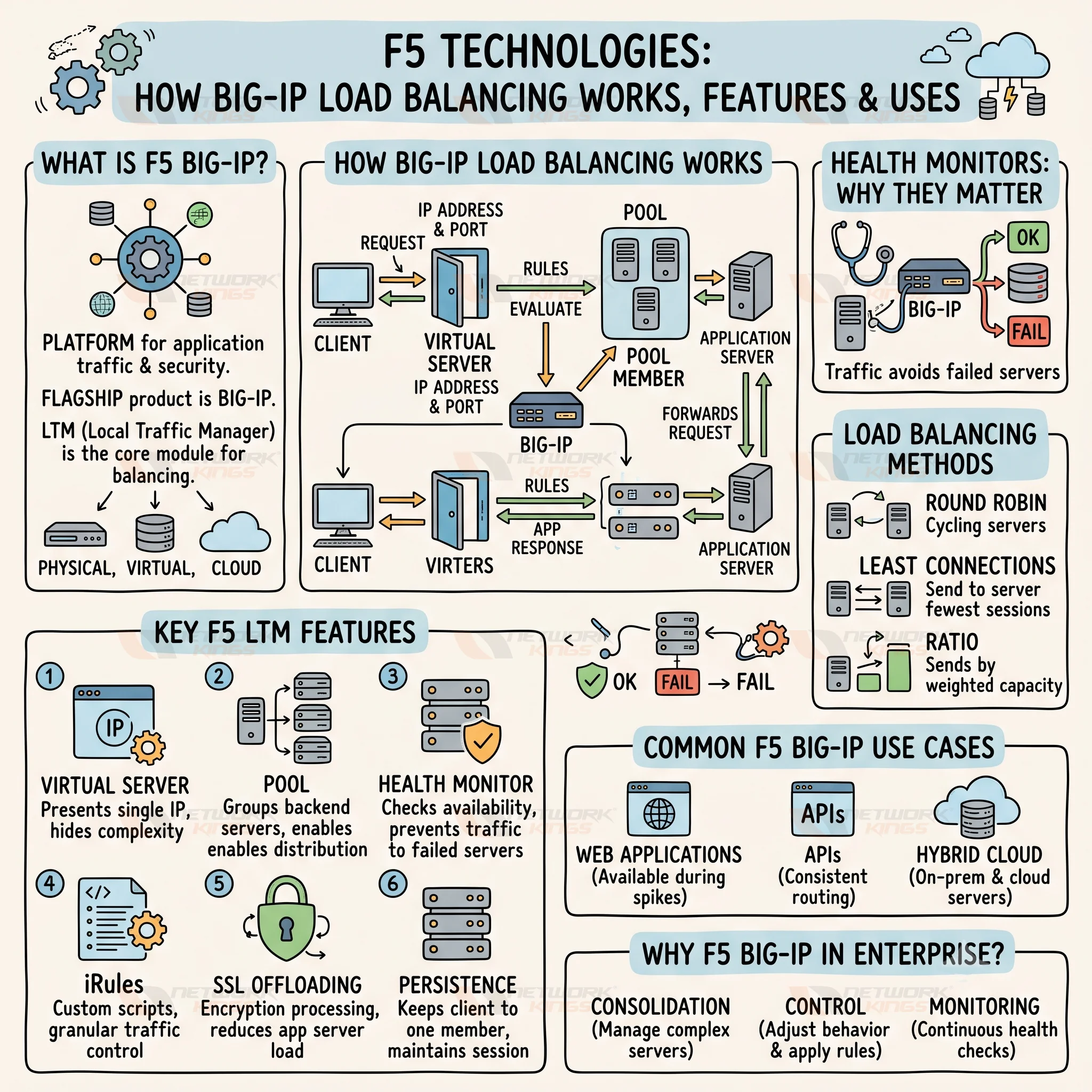
A client sends a request to a virtual server, which is a combination of an IP address and port that BIG-IP presents to the outside world. The virtual server does not represent a real machine. Instead, it acts as the front door, and BIG-IP decides what happens next based on rules attached to that virtual server.
From there, the request is matched to a pool, which is a logical grouping of backend servers capable of handling that type of traffic. Each server inside the pool is called a pool member. BIG-IP selects one pool member using a load-balancing method, forwards the request to it, and the application server processes and returns the response.
So the flow looks like this: client to virtual server, virtual server to pool, pool to pool member, pool member to application server. Understanding this chain is essential before diving into anything else about F5 LTM, because every feature discussed below modifies some part of it.
Health Monitors and Why They Matter
Before BIG-IP sends traffic to any pool member, it needs to know that the server is actually working. Health monitors are checks that run continuously against pool members, testing whether they respond correctly at the network, protocol, or application layer.
A basic monitor might just confirm a server answers on a TCP port. A more advanced one might send an HTTP request and verify the response contains expected content. If a pool member fails its health check, BIG-IP stops sending it new traffic until it recovers, which avoids routing users to a broken server.
F5 LTM Load Balancing Methods
BIG-IP supports several algorithms for choosing which pool member receives a given request. The right choice depends on the application and how evenly the backend servers are provisioned.
Common methods include round robin, which cycles through pool members in order, and least connections, which sends traffic to whichever server currently has the fewest active sessions. Ratio-based methods let administrators weight certain servers to receive more or less traffic based on capacity. Some environments also use persistence, which ensures a specific client keeps returning to the same pool member, useful for applications that store session data locally rather than in a shared database.
Key F5 LTM Features
F5 LTM Component | What It Does | Why It Matters |
Virtual Server | Presents a single IP and port to clients | Hides backend complexity from users |
Pool | Groups backend servers for a service | Enables distribution across multiple machines |
Health Monitor | Checks pool member availability | Prevents traffic from reaching failed servers |
iRules | Custom scripts that inspect and modify traffic | Allows granular control beyond basic load balancing |
SSL Offloading | Handles encryption and decryption on BIG-IP | Reduces processing load on application servers |
Persistence | Keeps a client tied to one pool member | Supports applications needing session continuity |
iRules deserve a specific mention. They use a scripting language called TCL to let administrators inspect headers, redirect traffic, block certain requests, or modify content on the fly. This is where BIG-IP moves beyond generic load balancing into something closer to programmable traffic management.
How F5 LTM Profiles Work
F5 LTM profiles define how BIG-IP handles specific types of network and application traffic. Administrators can attach different profiles to a virtual server depending on the application's requirements. Common examples include TCP profiles for connection behavior, HTTP profiles for web traffic, SSL profiles for encrypted traffic processing, and persistence profiles for maintaining client session associations. Profiles allow BIG-IP to apply more precise traffic-handling behavior instead of treating every connection in the same way.
How SNAT Works with F5 LTM
Source Network Address Translation, or SNAT, can help ensure that return traffic from a backend server passes back through BIG-IP. This is useful when the application server does not have an appropriate route back through the BIG-IP system. With SNAT, BIG-IP translates the source address of the connection so the backend server sends its response back to BIG-IP. BIG-IP can then forward the response to the original client. SNAT is particularly important when troubleshooting routing and return-path issues in an F5 LTM environment
Common F5 BIG-IP Use Cases
Organizations typically deploy BIG-IP LTM for web applications that need to stay available during traffic spikes, APIs that require consistent routing across multiple backend instances, and hybrid environments where some servers live on-premises while others run in the cloud. It is also common in data centers that need SSL offloading to reduce the encryption workload on individual application servers.
How Engineers Troubleshoot F5 LTM Issues
When an application behind BIG-IP is unreachable, engineers can follow the traffic path to isolate the problem instead of immediately changing the load-balancing configuration.
A basic troubleshooting flow is:
Client → Virtual Server → Pool → Pool Member → Health Monitor → Routing or SNAT → Application Response
For example, if the virtual server is available but all pool members are marked down, the engineer would investigate the health monitor, service port, network connectivity, or application response. If the pool member is available but the client still does not receive a response, routing, SNAT, firewall policies, profiles, persistence, and the application's return traffic may need to be checked.
F5 LTM Training and Certification
Because BIG-IP configuration involves virtual servers, pools, monitors, and iRules working together, structured F5 LTM training helps IT professionals understand how these pieces interact rather than learning them in isolation. Many networking teams pursue an F5 LTM course specifically to build hands-on familiarity with configuring load-balancing methods and troubleshooting traffic flow issues.
For professionals working toward broader career goals in network administration, a Network Kings F5 LTM certification can provide a formal way to demonstrate knowledge of BIG-IP concepts, although practical configuration and troubleshooting experience remain important for working with the platform.
Why F5 BIG-IP Is Used in Enterprise Networks
Enterprise environments often run dozens or hundreds of application servers behind a small number of public-facing addresses. BIG-IP consolidates the complexity of managing all those backend servers into a single control point, where administrators can adjust load-balancing behavior, apply security policies, and monitor server health without touching the application servers themselves.
Conclusion
F5 BIG-IP LTM manages application traffic by routing client requests through virtual servers into pools of monitored backend servers, using load-balancing methods and persistence rules to keep applications available and responsive. Combined with features like SSL offloading and iRules, it gives enterprise networks a centralized way to manage traffic distribution, application performance, and server availability across both physical and cloud infrastructure.
Frequently Asked Questions
What is F5 LTM
F5 LTM, or Local Traffic Manager, is the BIG-IP module responsible for distributing client traffic across pools of backend servers using configurable load-balancing methods.
Is F5 BIG-IP a load balancer
Load balancing is one of its core functions, but BIG-IP is a broader platform that can also handle SSL offloading, traffic inspection, and application security depending on licensed modules.
How does F5 LTM distribute traffic?
It routes requests from a virtual server to a pool, then selects a specific pool member using a load-balancing method such as round robin or least connections.
What is the difference between F5 LTM and a traditional load balancer?
F5 LTM supports advanced customization through iRules, detailed health monitoring, and persistence options that go beyond the basic distribution logic found in simpler load balancers.
What are F5 LTM health monitors?
They are automated checks that verify whether a pool member is functioning correctly before BIG-IP sends it traffic.

The founder of Network Kings, is a renowned Network Engineer with over 12 years of experience at top IT companies like TCS, Aricent, Apple, and Juniper Networks. Starting his journey through a YouTube channel in 2013, he has inspired thousands of students worldwide to build successful careers in networking and IT. His passion for teaching and simplifying complex technologies makes him one of the most admired mentors in the industry.