

Diwali Career Utsav: Master programs + IT 360 Bundle free, 24×7 labs and a resume & career sessionExplore master programs
CloudMASTER PROGRAM

Hybrid Cloud Administrator Master Program

Manage Windows Server and Active Directory across on-premises and Azure (AZ-800), secure Azure with AZ-500 and manage every device with Microsoft Intune — one live Microsoft program with 24×7 labs.

AZ-800 Windows Server HybridAZ-500 Azure SecurityMicrosoft Intune

Everything you get

Live classes, 24×7 labs and IT 360 Bundle — in one fee.

  • Live: AZ-800, AZ-500 & Microsoft Intune5–6 months on weekdays · 6–7 months on weekendsTaught live by senior engineers — ask your doubt mid-class and get it solved on screen, not in a comment box three days later.Included
  • 24×7 hands-on lab accessReal Azure environments to build and break — practise at 2 AM if that's when you learn best.Included
  • Recording of every classMissed a class for work or exams? Watch it the same night and never fall behind the batch.Included
  • 1:1 Zoom resume & career sessionBonusA trainer reviews your resume and maps your next role with you, one to one.Included
  • IT 360 Bundle · 10 self-paced coursesBonusBuild the base every cloud engineer needs: CCNA for networking, MCSA for Active Directory, and RHCSA Linux to set you up for cloud automation later — all in the same fee.
    • Office 365
    • VMware VCP
    • SCCM
    • Microsoft Intune
    • AWS Solutions Architect
    • Azure AZ-104 Administrator
    • CompTIA Security+
    Included

Direct enrollment

Enroll online. No sales call needed.

$999

One-time fee. IT 360 Bundle, 24×7 labs and a resume & career session included.

Enrollment offer: Hybrid Cloud Master Program. Review the final amount and included access on checkout.

Need help choosing? Request career guidance
Lab running
Your cloud lab
Compute
Storage
Virtual network
Identity
DNS
Database
Serverless
Load balancer
LIVE LAB1/5
Launching your cloud lab…
Diagram: a your cloud lab connected to Compute, Storage, Virtual network, Identity, DNS, Database, Serverless, Load balancer.

What is inside the Hybrid Cloud Administrator Master Program?

Hybrid Cloud Administrator Master Program is a live, instructor-led program with 3 live Microsoft tracks. It covers 3 modules and 11 guided labs. Try Azure Labs free before you enroll.

Live training
3 live Microsoft tracks
Curriculum
3 modules
  • Windows Server Hybrid Administrator (AZ-800)
  • Azure Security Technologies (AZ-500)
  • Microsoft Intune — Endpoint Administration
Guided labs
11 labs
Batch length
5–6 months on weekdays, 6–7 on weekends
Practice lab
Azure Labs, free trial before you enroll

Finish Hybrid Cloud Administrator Master Program. Earn a certificate students can verify.

We also provide certification after you complete the course. Pass a proctored Network Kings assessment and receive a certificate with a unique credential ID and a public verification record. Students can check it in seconds, and no login is needed.

  • Issued by Network Kings. The record comes from our system and can’t be edited by the holder.
  • Live status. If a certificate is ever revoked, its record says so immediately.
  • Score on record. The assessment score is shown, so the result speaks for itself.
NETWORK KINGS - Official Digital Credential
Sample credential
Priya Menon
Hybrid Cloud Administrator Master Program Certification Assessment
Credential ID
Issued
NK-CERT-2026-104729
14 Aug 2026
Sample credential. Real credentials link to a live verification record.

How to get certified

Prepare, take your assessment, and share your achievement.

  1. Open the exam from your course

    Select Get Certification on your course in the Network Kings learning app.

  2. Take the proctored assessment

    Answer the timed questions in one sitting with your camera on and the exam in fullscreen.

  3. Pass with 70% or more

    The certification team reviews your result and emails your certificate within 24 hours.

  4. Share it anywhere

    Add it to LinkedIn or your CV. Anyone can confirm it with the ID or QR code.

YOUR PROGRAM ROADMAP

Hybrid Cloud Administrator Roadmap

Manage Windows Server, Azure security and endpoints in one hybrid environment. Hybrid Cloud Administrator follows 3 stages: AZ-800 Windows Server Hybrid, AZ-500 Azure Security, Microsoft Intune.

  • Active Directory
  • Hybrid identity
  • Azure security
  • Endpoint management
  1. AZ-800 Windows Server Hybrid4 labs · capstone project1/3
  2. AZ-500 Azure Security4 labs · capstone project2/3
  3. Microsoft Intune3 labs · capstone project3/3

Career Roles

4 PATHS
  • Systems Administrator
  • Cloud Administrator
  • Endpoint Administrator
  • Azure Administrator

Try it first

FREE

Open Azure Labs and practise real tasks before you enroll.

Start free trial
IN THIS PROGRAM
  • 3 live Microsoft tracks
  • 11 lab exercises
  • 3 capstone projects
  • 3 curriculum modules
  • Recording of every class
  • 24×7 Azure Labs
Concept illustration of on-premises servers connected to cloud infrastructure and managed devices.
CONNECT THE CONCEPTS

Explore the systems behind Hybrid Cloud Administrator.

The roadmap above shows how the subjects connect. Explore the curriculum below for every topic, lab and project.

EXPERIENCE THE ROLE

See what a Cloud Security Engineer really does, minute by minute.

Watch a real-world incident unfold on the engineer’s screens and in a 3D model of the systems they look after. Then type the commands yourself and try the same task in a lab.

LIVE SHIFT

A storage bucket with customer invoices is public

Cloud security console
  • Bucket invoices-prod allows public readCRITICAL
  • Role app-deployer has full admin rightsHIGH
  • Access logging off on 2 bucketsMEDIUM
  • MFA enabled for all adminsPASS
incident-room
  1. Security monitor

    CRITICAL: invoices-prod is publicly readable.

The systems you look after
10:05 · STEP 1 OF 5

The finding

The security monitor flags a critical issue: the storage bucket holding customer invoices can be read by anyone on the internet.

You learn this in the program: Cloud security posture tools

Illustrative shift based on common real-world incidents. Names, times and numbers are examples.

YOUR TURN

Type the commands yourself, and get an honest answer about AI.

aws-cli · prod-accountYour turn: type a command
aws iam list-attached-role-policies --role-name app-test
PolicyName: AdministratorAccess
# Admin rights on a test app. What would you do?
# Your turn. Type a command, or tap one below. Start with: help
Not sure what to type? Tap one:
AI REALITY CHECK · CLOUD SECURITY ENGINEER

More to protect as AI adoption grows

AI is already good at

  • Scans for misconfigurations and rates severity
  • Suggests least-privilege IAM policies
  • Drafts remediation steps and reports

You stay essential for

  • Decides which risk the business will accept
  • Secures AI workloads, data and model access
  • Investigates real incidents across accounts
  • Is accountable when something is exposed

Skill to add: Learn IAM deeply and Infrastructure-as-Code security, then add AI and LLM workload security.

  • AWS Security Hub
  • Defender for Cloud
  • IAM
  • Terraform
  • Prowler

Our assessment, not a guarantee. No job is fully AI-proof: people who use AI well replace people who do not.

3-MINUTE CHALLENGE

Five cloud-security calls, from a public bucket to an over-powered role.

Score yourself, get a badge, and see why each answer is right or wrong.

Start the challenge
DO THIS TASK YOURSELF

Open the AWS Labs trial and work through the same kind of task.

Real systems, guided steps. The lab site opens only when you click.

Open the AWS Labs trial
READY WHEN YOU ARE

Batch dates for this program are announced on the upcoming events page.

Review the fee and your enrollment offer before you pay.

YOUR PROGRAM AT A GLANCE

Run Windows Server, Azure and every endpoint — as one system.

Manage Windows Server and Active Directory across on-premises and Azure (AZ-800), secure Azure with AZ-500 and manage every device with Microsoft Intune — one live Microsoft program with 24×7 labs.

Live training
3 live Microsoft tracks
Curriculum
3 detailed sections
Learning approach
Classes + practical work

Included in your learning experience

  • LIVE instructor-led classes for AZ-800, AZ-500 and Microsoft Intune
  • 24×7 Azure and Windows Server labs
  • Real hybrid scenarios: AD to Entra ID, servers to Azure, devices to Intune
  • Project after every module
  • Interview preparation & mock interviews
  • 1 year access to class recordings
  • Hindi & English training support
FIND YOUR STARTING POINT

Is this program for you?

  • Windows or system administrator moving to cloud
  • Desktop / L1 support engineer aiming for admin roles
  • Fresher interested in the Microsoft ecosystem
  • IT professional managing users and devices
  • Want Azure skills without leaving Windows behind

Discuss your current skills with an advisor to choose the right starting point and batch.

Still choosing? Find your learning path
EXPLORE THE FULL SYLLABUS

From foundations to applied skills.

Follow the complete curriculum, including the topics, lab exercises and project work in each section.

01

Windows Server Hybrid Administrator (AZ-800)

Track 1

Windows Server workloads across on-premises, hybrid and Azure

Active Directory in Hybrid

  • Deploy and manage AD DS domain controllers
  • Forests, domains, trusts & OUs
  • Group Policy
  • Hybrid identity with Microsoft Entra Connect
  • AD DS in Azure VMs

Windows Server & Workloads

  • Windows Admin Center & PowerShell
  • Azure Arc for on-premises servers
  • Remote management & JEA
  • Server roles: DNS, DHCP & IPAM

Virtual Machines & Containers

  • Hyper-V hosts & VMs
  • Windows Server containers
  • Windows Server VMs in Azure

Hybrid Networking

  • DNS & DHCP for hybrid networks
  • Azure network connectivity & VPN
  • Azure Network Adapter & name resolution

Storage & File Services

  • File servers & SMB
  • Azure File Sync
  • Storage Spaces & Storage Replica
  • Data deduplication

Included Labs

  • Domain controller & GPO labs
  • Entra Connect sync labs
  • Azure Arc & hybrid VM labs
  • File Sync labs
APPLY WHAT YOU LEARN

Extend an On-Premises Domain to Azure

  • Sync AD users to Entra ID
  • Connect servers with Azure Arc
  • Move file shares to Azure File Sync

02

Azure Security Technologies (AZ-500)

Track 2

Secure identities, networks, workloads and data in Azure

Identity & Access

  • Microsoft Entra ID users, groups & external identities
  • MFA, passwordless & Conditional Access
  • Azure & Entra RBAC, custom roles
  • Privileged Identity Management
  • App registrations & managed identities

Secure Networking

  • NSGs, ASGs & user-defined routes
  • VPN & ExpressRoute security
  • Private Endpoints & Private Link
  • Azure Firewall, Application Gateway & WAF
  • Azure Front Door & DDoS Protection

Compute, Storage & Databases

  • Azure Bastion & just-in-time VM access
  • Disk encryption & Key Vault
  • Storage & SQL security

Security Operations

  • Microsoft Defender for Cloud
  • Security posture & regulatory compliance
  • Microsoft Sentinel basics
  • Azure Policy & governance

Included Labs

  • Conditional Access labs
  • Network security labs
  • Key Vault labs
  • Defender for Cloud labs
APPLY WHAT YOU LEARN

Secure a Hybrid Azure Environment

  • Lock down identities with MFA, PIM and Conditional Access
  • Segment and protect networks
  • Monitor posture with Defender for Cloud
03

Microsoft Intune — Endpoint Administration

Track 3

Deploy, secure and manage Windows, macOS, iOS and Android devices

Deploy Windows Clients

  • Windows Autopilot
  • Deployment methods & tools
  • Subscription activation
  • Windows Update rings

Identity & Compliance

  • Entra join, hybrid join & registration
  • Device enrollment
  • Compliance policies
  • Conditional Access for devices

Manage & Protect Devices

  • Configuration profiles: Windows, macOS, iOS, Android
  • Endpoint security & security baselines
  • Attack surface reduction
  • Microsoft Defender for Endpoint
  • Remote actions & troubleshooting

Manage Applications

  • App deployment
  • App protection policies (MAM)
  • App configuration policies
  • Monitoring app deployment

Included Labs

  • Autopilot labs
  • Compliance & Conditional Access labs
  • App deployment labs
APPLY WHAT YOU LEARN

Roll Out a Secure Modern Workplace

  • Enroll a fleet of devices with Autopilot
  • Enforce compliance and app protection
  • Report on device health
LEARNING THAT YOU CAN APPLY

Turn the syllabus into practical work.

Work through the exercises with your instructor, test configurations and explain the decisions behind your solution.

Skills you’ll work toward

  • Administer Windows Server and Active Directory across on-premises and Azure
  • Integrate identities with Microsoft Entra ID
  • Secure Azure identities, networks and workloads
  • Deploy, secure and manage endpoints with Microsoft Intune
PLAN THE NEXT STEP

Build on your program.

Explore the supporting bundles and career services available with this program. Your selected enrollment offer sets the final inclusions.

IT 360 Self-Paced Bundle · 10 coursesOptional bundle

Cloud engineers who understand the network underneath get hired faster. The bundle adds CCNA for networking, MCSA for Active Directory and Linux for cloud automation — self-paced video, studied alongside your live classes.

  • Cisco CCNA
  • Microsoft MCSA
  • RHCSA Red Hat Linux
  • AWS Solutions Architect
  • Azure AZ-104 Administrator
  • VMware VCP
  • Office 365
  • SCCM
  • Microsoft Intune
  • CompTIA Security+

How the learning areas connect

Explore the learning areas in this path. Check the curriculum above for the subjects included in your program.

  1. This ProgramAZ-800 · AZ-500 · Microsoft Intune
  2. NextAZ-104 · AZ-700 · Azure Cloud Security program

Career directions to explore

Roles depend on your experience, practical skills and the opportunities you pursue.

  • SystemsL1/L2 Support → Windows Administrator → Systems Administrator → Infrastructure Engineer
  • CloudAzure Administrator → Hybrid Cloud Administrator → Cloud Engineer → Cloud Architect
  • SecurityEndpoint Administrator → Azure Security Engineer → Identity Engineer → Security Architect
BEFORE YOU GET STARTED

Your questions, answered.

What does a Hybrid Cloud Administrator do?

They manage servers, identities and devices that span on-premises data centres and Microsoft Azure — for example syncing Active Directory to Entra ID, securing Azure resources and managing laptops and phones with Intune.

What does this program cover?

Three live tracks: AZ-800 Windows Server Hybrid Administrator, AZ-500 Azure Security Technologies and Microsoft Intune endpoint administration.

Can a beginner join?

Yes, but basic Windows and networking knowledge helps. The IT 360 self-paced bundle (MCSA, CCNA, Linux) fills that gap alongside the live classes.

Which certifications does it prepare me for?

Microsoft AZ-800, AZ-500 and the Intune endpoint administrator exam. Training follows the official exam blueprints. Exam vouchers are included only when your enrollment offer says so — check the inclusions at checkout and the vendor's current exam requirements before booking.

How do I enroll?

Use the Enroll button on this page to see the current offer and pay securely on nwkings.com — full payment or no-cost EMI in India, USD for international learners. Prefer to talk first? Request a callback and a course advisor will confirm the batch, inclusions and fee.

Connect the concepts.
Put them to work.

Move from understanding a system to configuring, testing and improving it through guided practice.

  • Configure a network

    Trace connections and practice working with devices and services.

  • Test what changes

    Explore lab scenarios and inspect how configuration choices affect a system.

  • Build repeatable workflows

    Explore Linux, scripting and automation in the relevant learning paths.

Explore the lab environments

Confirm the available labs and access period for your chosen course.

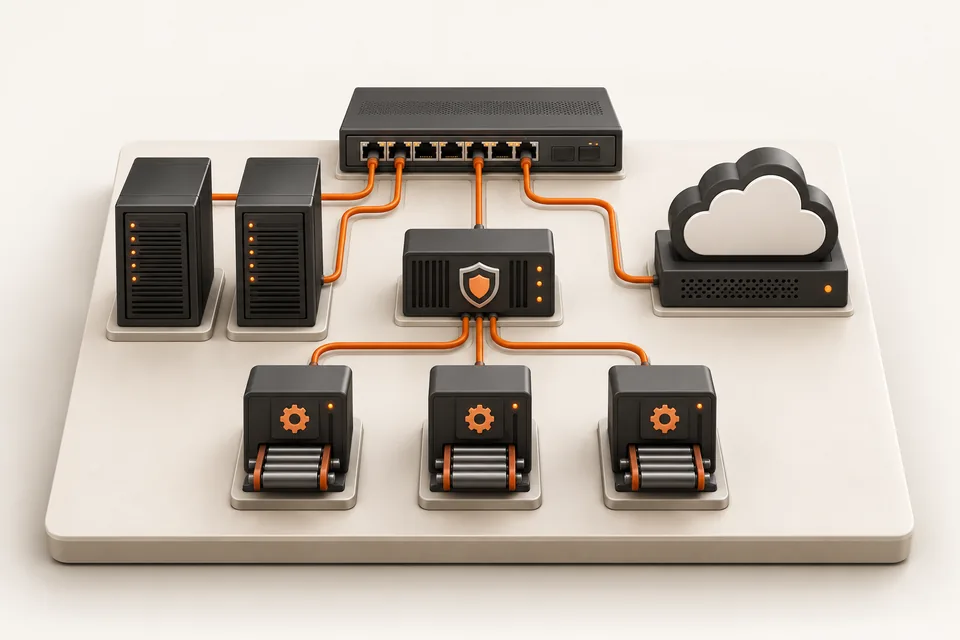
Illustration of a miniature switch, servers, cloud, security gateway and delivery modules connected in an infrastructure learning lab.
A connected view of networking, cloud, security and automation.

Learn from top 1% engineers.

Meet instructors who bring networking, cloud and automation experience into the classroom.

Atul Sharma
Founder · Networking

Atul Sharma

12+ years in networking

Networking experience spanning Aricent, TCS, Apple and Juniper.

Sanjay Sharma
AWS cloud

Sanjay Sharma

20+ years of experience

Cloud mentor bringing extensive hands-on AWS experience to the classroom.

Amit Bhatt
Linux & DevOps

Amit Bhatt

11+ years of experience

DevOps automation experience at CDAC, IBM and Integrated Solutions.

Industry experience. Practical explanations. A human connection.

Explore Network Kings
Aadil Hameed dar

Aadil Hameed dar

Network Engineer L1

“Industry-expert trainers made networking easy to understand.”

Shared with Network Kings

Explore, talk it through, or enroll.

See the syllabus and fees at your own pace. Request personal guidance when you need help choosing.

Find the right direction.

Discuss your experience, interests and the skills you want to build with our team.

Request career guidance

Have a course question?

Ask about prerequisites, live classes, lab access or the enrollment options for your course.

Request a callback

Ready for your next skill?

Review the current fee, included access and payment terms before completing enrollment.

View fee & enroll Enrollment offer: Hybrid Cloud Master Program

Use the enquiry form to share your course interest, or WhatsApp/email to include a callback or guidance request.

Why learn from the top 1% of engineers?

Because passing an exam and doing the job are different skills, and only experience closes the gap. Network Kings mentors have spent 11 to 20+ years building and running networks, cloud platforms and pipelines at companies like Apple, Juniper Networks, IBM and CDAC. They teach what breaks in production, why, and how engineers fix it under pressure.

  • Sanjay Sharma, AWS
  • Vikas Kumar, Azure
  • Ajay, Azure
  • Atul Sharma, Founder & CEO
  • Amit Bhatt, Linux & DevOps
  • Lazaro (Laz) Diaz, Networking

Sanjay Sharma (AWS, 20+ yrs), Vikas Kumar (Azure, 20+ yrs), Ajay (Azure, 12+ yrs) and more. Meet the mentors

Same problem, two answers. Pick a track:

On the job: Files from a private S3 bucket turn up on a public link.

The textbook answer

S3 buckets can be public or private. Use bucket policies and ACLs to control who can access them.

Correct. Not enough to fix it.

How a production engineer teaches it

  1. Contain it: turn on S3 Block Public Access for the account, not just the bucket.
  2. Find the cause with IAM Access Analyzer: which policy or ACL opened it.
  3. Check CloudTrail data events to learn what was read, and by whom.
  4. Make it impossible to repeat with an SCP guardrail across every account.
  • The why behind every command, not just the syntax.
  • Hands-on labs for every topic, so the first fault you fix is not at work.
  • Doubts answered by someone who has fixed it in a live network, cloud or pipeline.