

Black Friday SaleIT 360 Bundle complimentary with every master programSee the offer
Networking

CompTIA Program (Self-Paced)

Learn hardware, operating systems, networking and security through CompTIA A+, Network+ and Security+ at your own pace — the vendor-neutral starting point for IT support, networking and security careers.

HardwareBIOS configurationsMotherboard components
Need help choosing? Request career guidance
Concept illustration of computer hardware, storage and networking tools for IT foundations.
CompTIA Program (Self-Paced) — conceptual illustration

Finish CompTIA Program (Self-Paced). Earn a certificate students can verify

We also provide certification after you complete the course. Pass a proctored Network Kings assessment and receive a certificate with a unique credential ID and a public verification record. Students can check it in seconds, and no login is needed.

  • Issued by Network Kings. The record comes from our system and can’t be edited by the holder.
  • Live status. If a certificate is ever revoked, its record says so immediately.
  • Score on record. The assessment score is shown, so the result speaks for itself.
NETWORK KINGS - Official Digital Credential
Sample credential
Priya Menon
CompTIA Program (Self-Paced) Certification Assessment
Credential ID
Issued
NK-CERT-2026-104729
14 Aug 2026
Sample credential. Real credentials link to a live verification record.

How to get certified

Prepare, take your assessment, and share your achievement.

  1. Open the exam from your course

    Select Get Certification on your course in the Network Kings learning app.

  2. Take the proctored assessment

    Answer the timed questions in one sitting with your camera on and the exam in fullscreen.

  3. Pass with 70% or more

    The certification team reviews your result and emails your certificate within 24 hours.

  4. Share it anywhere

    Add it to LinkedIn or your CV. Anyone can confirm it with the ID or QR code.

YOUR PROGRAM AT A GLANCE

The vendor-neutral foundation for an IT career.

Learn hardware, operating systems, networking and security through CompTIA A+, Network+ and Security+ at your own pace — the vendor-neutral starting point for IT support, networking and security careers.

Self-paced video
Self-paced video
Curriculum
6 detailed sections
Learning approach
Video lessons + practice

Included in your learning experience

  • Recorded lessons for A+, Network+ and Security+ — study at your own pace
  • Beginner-friendly — no prior IT experience needed
  • Hardware, OS, networking and security practice exercises
  • Practice scenarios for performance-based exam questions
  • Watch on any device from the Network Kings learning platform
  • Hindi & English explanations
FIND YOUR STARTING POINT

Is this program for you?

  • Fresher or graduate starting in IT
  • Career switcher with no IT background
  • Help desk or field support wanting promotion
  • Future network or security engineer who wants strong basics
  • Need vendor-neutral certifications recognised worldwide

Discuss your current skills with an advisor to choose the right starting point and batch.

Still choosing? Find your learning path
EXPLORE THE FULL SYLLABUS

From foundations to applied skills

Follow the complete curriculum, including the topics, lab exercises and project work in each section.

Track 01

CompTIA A+

01

CompTIA A+ Core 1 — Hardware, Networking & Mobile

Core 1

Devices, hardware and the basics of how PCs connect

Hardware
  • Motherboards, CPUs, RAM & expansion cards
  • Storage: HDD, SSD, NVMe & RAID
  • Power supplies & display devices
  • Printers: install, configure & maintain
  • Custom PC configuration
Mobile Devices
  • Laptop hardware & components
  • Mobile device features & ports
  • Mobile connectivity & accessories
Networking
  • Cables & connectors
  • TCP/IP, TCP & UDP ports
  • Wi-Fi standards
  • SOHO wired & wireless routers
  • Internet connection types
Virtualization & Cloud
  • Client-side virtualization
  • Cloud concepts & service models
Hardware & Network Troubleshooting
  • Drives & RAID arrays
  • Video & display issues
  • Wired & wireless network issues
  • Mobile device & printer issues
Included Labs
  • PC build & component labs
  • SOHO router & Wi-Fi labs
  • Troubleshooting labs
02

CompTIA A+ Core 2 — Operating Systems, Security & Support

Core 2

Windows, Linux & macOS support and day-to-day IT operations

Operating Systems
  • Windows editions, install & upgrade
  • Windows settings, Control Panel & command line
  • Linux & macOS basics
  • Application installation
Security
  • Malware types & removal
  • Social engineering
  • Wireless & SOHO security
  • Workstation & mobile security
Software Troubleshooting
  • Windows OS problems
  • Mobile OS & app issues
  • Malware remediation steps
Operational Procedures
  • Ticketing & documentation
  • Change management
  • Backup & recovery
  • Safety, environment & professionalism
  • Scripting basics & remote access
Included Labs
  • Windows administration labs
  • Malware removal labs
  • Help-desk ticket scenarios
APPLY WHAT YOU LEARN
Run an IT Help Desk for a Small Office
  • Build and image workstations
  • Secure the SOHO network and devices
  • Resolve a queue of real-world support tickets
Track 02

CompTIA Network+

03

CompTIA Network+

Full track

Vendor-neutral networking for administrators and technicians

Networking Concepts
  • OSI model & protocols
  • IPv4/IPv6 addressing & subnetting
  • Topologies & network types
  • Cloud & virtual networking
  • Network services: DNS, DHCP, NTP
Network Implementation
  • Routing & switching basics
  • VLANs & trunking
  • Wireless configuration
  • Cabling & physical installation
Network Operations
  • Documentation & diagrams
  • Monitoring, scanning & patching
  • Business continuity & disaster recovery
  • Remote access methods
Network Security
  • Authentication & access control
  • Network attacks & mitigation
  • Device hardening
  • Physical security
Network Troubleshooting
  • Troubleshooting methodology
  • Wired & wireless performance issues
  • Network service issues
  • Command-line & hardware tools
Included Labs
  • Subnetting labs
  • Switching & VLAN labs
  • Wireless labs
  • Troubleshooting labs
APPLY WHAT YOU LEARN
Design and Document a Small-Business Network
  • Plan addressing, VLANs and Wi-Fi
  • Secure and monitor the network
  • Troubleshoot staged faults with a written method
Track 03

CompTIA Security+ (SY0-701)

04

Domain 1 & 2 — General Concepts, Threats & Vulnerabilities

10+ hrs
General Security Concepts
  • Security controls (technical, managerial, physical)
  • CIA triad & non-repudiation
  • AAA (Authentication, Authorization, Accounting)
  • Zero Trust architecture
  • Physical security & deception tech (honeypots)
  • Change management & cryptographic solutions
Threats, Vulnerabilities & Mitigations
  • Threat actors & motivations
  • Attack surfaces & vectors
  • Malware types & indicators
  • Application & network vulnerabilities
  • Mitigation techniques
  • Vulnerability scanning & management
05

Domain 3 & 4 — Security Architecture & Operations

14+ hrs
Security Architecture
  • Cloud, hybrid & on-premises architecture
  • Network segmentation & infrastructure security
  • Data protection & classification
  • Resilience & recovery strategies
Security Operations
  • Secure baselines & hardening targets
  • Identity & access management
  • Automation & orchestration for security
  • Incident response & digital forensics
  • Data sources for investigations (logs, SIEM)
  • Alerting, monitoring & firewall/IDS tuning
06

Domain 5 — Security Program Management & Oversight

6+ hrs
Learning topics
  • Security governance & policies
  • Risk management process (SLE, ALE, ARO)
  • Third-party risk assessment
  • Compliance & regulatory requirements
  • Audits & assessments
  • Security awareness & training
Included Labs
  • Firewall & IDS/IPS labs
  • Cryptography labs
  • Incident response labs
  • SIEM & log analysis labs
  • Access control labs
  • Risk assessment labs
LEARNING THAT YOU CAN APPLY

Turn the syllabus into practical work

Work through the exercises with your instructor, test configurations and explain the decisions behind your solution.

Skills you’ll work toward

  • Build, configure and troubleshoot PCs, laptops and mobile devices
  • Support Windows, Linux and macOS users professionally
  • Plan, implement and troubleshoot small and medium networks
  • Apply core security controls, risk management and incident response
PLAN THE NEXT STEP

Build on your program

Explore the supporting bundles and career services available with this program. Your selected enrollment offer sets the final inclusions.

IT 360 Self-Paced Bundle · 10 coursesOptional bundle

Security analysts and engineers defend networks, servers and clouds — the bundle gives you that infrastructure base (CCNA, MCSA Active Directory, Linux, AWS and Azure) as self-paced video alongside your live classes.

  • CompTIA Security+
  • Cisco CCNA
  • RHCSA Red Hat Linux
  • Microsoft MCSA
  • AWS Solutions Architect
  • Azure AZ-104 Administrator
  • VMware VCP
  • Office 365
  • SCCM
  • Microsoft Intune

How the learning areas connect

Explore the learning areas in this path. Check the curriculum above for the subjects included in your program.

  1. This ProgramCompTIA A+ · CompTIA Network+ · CompTIA Security+
  2. Next · NetworkingCCNA · Network Engineer program
  3. Next · SecurityCySA+ · Blue Team or Red Team program

Career directions to explore

Roles depend on your experience, practical skills and the opportunities you pursue.

  • SupportHelp Desk Technician → IT Support Specialist → Desktop / Field Engineer → Systems Administrator
  • NetworkingNetwork Technician → NOC Engineer → Network Administrator → Network Engineer
  • SecuritySecurity Associate → SOC Analyst L1 → Security Analyst → Security Engineer
BEFORE YOU GET STARTED

Your questions, answered

What is the CompTIA program?

A self-paced program covering CompTIA A+ (Core 1 and Core 2), Network+ and Security+ — the vendor-neutral foundation for IT support, networking and security careers.

Is this program live or self-paced?

Self-paced — recorded lessons you can watch any time. Live batches are not running for CompTIA right now.

Is CompTIA good for beginners?

Yes. A+ assumes no prior IT experience, Network+ builds networking basics and Security+ adds security — a logical order for freshers and career switchers.

Which certifications does it prepare me for?

CompTIA A+ (two exams: Core 1 and Core 2), CompTIA Network+ and CompTIA Security+ (SY0-701). Training follows the official exam blueprints. Exam vouchers are included only when your enrollment offer says so — check the inclusions at checkout and the vendor's current exam requirements before booking.

What jobs can I get after CompTIA?

Entry roles such as Help Desk Technician, IT Support Specialist, Network Technician, NOC Engineer and Security Associate. Many learners continue to CCNA or a security master program.

CompTIA or CCNA — which first?

If you are completely new to IT, start with CompTIA. If you already know you want networking and are comfortable with computers, you can start directly with CCNA.

How do I enroll?

Use "Get self-paced access" on this page to open the Network Kings video library. CompTIA Security+ is also included in the IT 360 bundle that comes free with every live master program.

Connect the concepts.
Put them to work

Move from understanding a system to configuring, testing and improving it through guided practice.

  • Configure a network

    Trace connections and practice working with devices and services.

  • Test what changes

    Explore lab scenarios and inspect how configuration choices affect a system.

  • Build repeatable workflows

    Explore Linux, scripting and automation in the relevant learning paths.

Explore the lab environments

Confirm the available labs and access period for your chosen course.

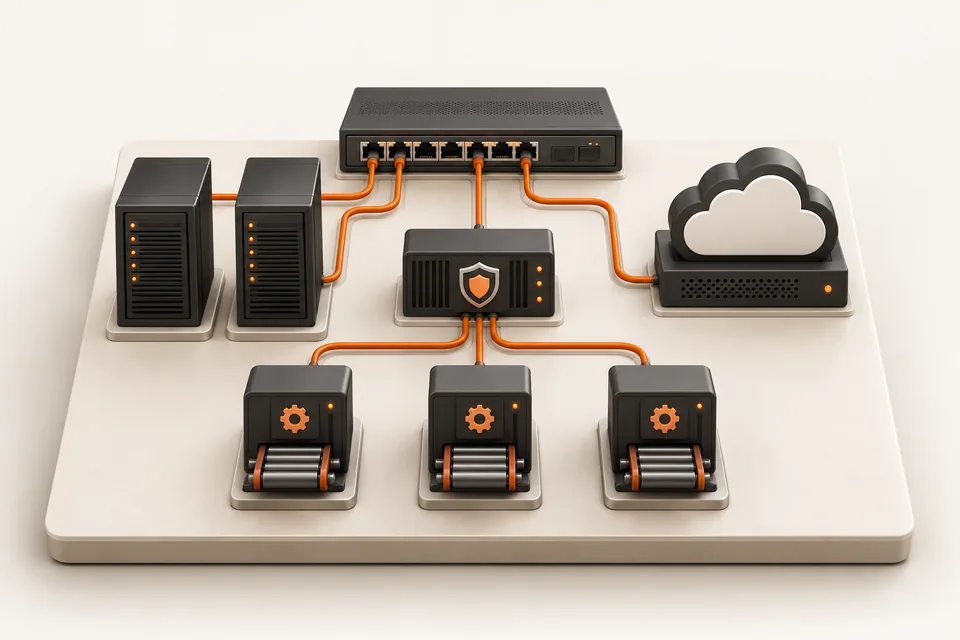
Illustration of a miniature switch, servers, cloud, security gateway and delivery modules connected in an infrastructure learning lab.
A connected view of networking, cloud, security and automation.

Learn from top 1% engineers.

Meet instructors who bring networking, cloud and automation experience into the classroom.

Atul Sharma
Founder · Networking

Atul Sharma

12+ years in networking

Networking experience spanning Aricent, TCS, Apple and Juniper.

Sanjay Sharma
AWS cloud

Sanjay Sharma

20+ years of experience

Cloud mentor bringing extensive hands-on AWS experience to the classroom.

Amit Bhatt
Linux & DevOps

Amit Bhatt

11+ years of experience

DevOps automation experience at CDAC, IBM and Integrated Solutions.

Industry experience. Practical explanations. A human connection.

Explore Network Kings
Aadil Hameed dar

Aadil Hameed dar

Network Engineer L1

“Industry-expert trainers made networking easy to understand.”

Shared with Network Kings

Explore, talk it through, or enroll

See the syllabus and fees at your own pace. Request personal guidance when you need help choosing.

Find the right direction

Discuss your experience, interests and the skills you want to build with our team.

Request career guidance

Have a course question?

Ask about prerequisites, live classes, lab access or the enrollment options for your course.

Request a callback

Ready for your next skill?

Compare our learning formats, then open your chosen course to review enrollment options.

Explore learning plans

Use the enquiry form to share your course interest, or WhatsApp/email to include a callback or guidance request.

Why learn from the top 1% of engineers?

Because passing an exam and doing the job are different skills, and only experience closes the gap. Network Kings mentors have spent 11 to 20+ years building and running networks, cloud platforms and pipelines at companies like Apple, Juniper Networks, IBM and CDAC. They teach what breaks in production, why, and how engineers fix it under pressure.

  • Atul Sharma, Founder & CEO mentor at Network KingsAtul Sharma, Founder & CEO
  • Lazaro (Laz) Diaz, Networking mentor at Network KingsLazaro (Laz) Diaz, Networking
  • Sanjay Sharma, AWS mentor at Network KingsSanjay Sharma, AWS
  • Vikas Kumar, Azure mentor at Network KingsVikas Kumar, Azure
  • Ajay, Azure mentor at Network KingsAjay, Azure
  • Amit Bhatt, Linux & DevOps mentor at Network KingsAmit Bhatt, Linux & DevOps

Atul Sharma (Founder & CEO, 12+ yrs), Lazaro (Networking), Sanjay Sharma (AWS, 20+ yrs) and more. Meet the mentors

Same problem, two answers. Pick a track:

On the job: Two routers' OSPF neighbours are stuck in ExStart and never reach Full.

The textbook answer

OSPF moves through Down, Init, 2-Way, ExStart, Exchange, Loading and Full. Memorise the neighbour states for the exam.

Correct. Not enough to fix it.

How a production engineer teaches it

  1. Suspect an MTU mismatch first. ExStart and Exchange stalls usually come down to it.
  2. Compare show ip ospf interface on both ends and fix the interface MTU.
  3. Use ip ospf mtu-ignore only as a stopgap, and say so in the change record.
  4. Write down why it happened, so the next engineer finds it in minutes.
  • The why behind every command, not just the syntax.
  • Hands-on labs for every topic, so the first fault you fix is not at work.
  • Doubts answered by someone who has fixed it in a live network, cloud or pipeline.