
Diwali Career Utsav: Master programs + IT 360 Bundle free, 24×7 labs and a resume & career sessionExplore master programs
Networking

Comptia A+ Course

Start Comptia A+ Training Course with Network Kings. Get Comptia A+ Certification earn 2X more. CompTIA A+ (Plus) certified professionals
Mobile DevicesNetworkingHardware
Need help choosing? Request career guidance
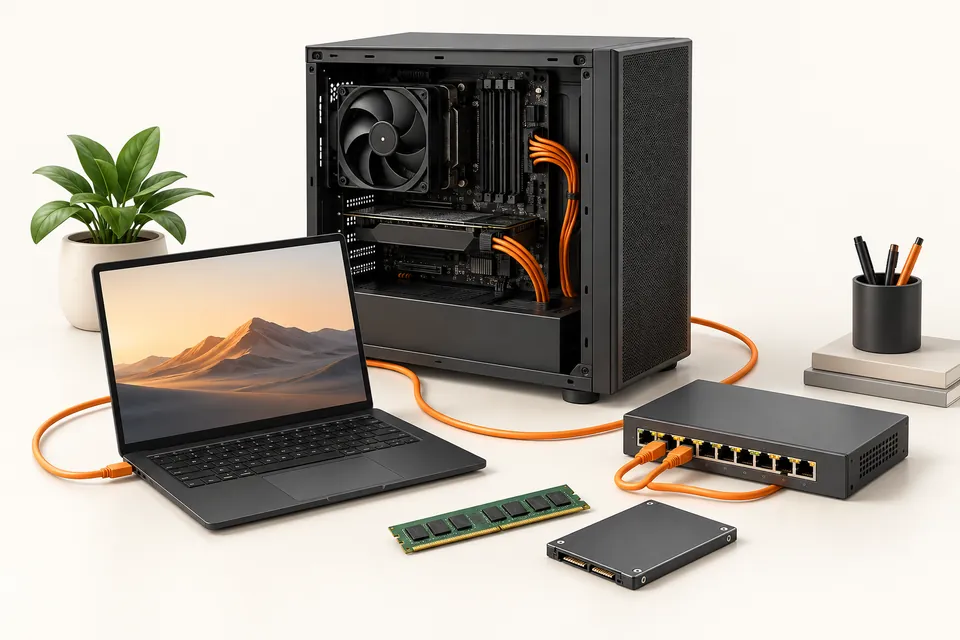
Concept illustration of computer hardware, storage and networking tools for IT foundations.
Comptia A+ Course — conceptual illustration

Finish Comptia A+. Earn a certificate students can verify

We also provide certification after you complete the course. Pass a proctored Network Kings assessment and receive a certificate with a unique credential ID and a public verification record. Students can check it in seconds, and no login is needed.

  • Issued by Network Kings. The record comes from our system and can’t be edited by the holder.
  • Live status. If a certificate is ever revoked, its record says so immediately.
  • Score on record. The assessment score is shown, so the result speaks for itself.
NETWORK KINGS - Official Digital Credential
Sample credential
Priya Menon
Comptia A+ Certification Assessment
Credential ID
Issued
NK-CERT-2026-104729
14 Aug 2026
Sample credential. Real credentials link to a live verification record.

How to get certified

Prepare, take your assessment, and share your achievement.

  1. Open the exam from your course

    Select Get Certification on your course in the Network Kings learning app.

  2. Take the proctored assessment

    Answer the timed questions in one sitting with your camera on and the exam in fullscreen.

  3. Pass with 70% or more

    The certification team reviews your result and emails your certificate within 24 hours.

  4. Share it anywhere

    Add it to LinkedIn or your CV. Anyone can confirm it with the ID or QR code.

THE COURSE AT A GLANCE

About this course

The CompTIA A+ course certification is offered by the non-profit trade association CompTIA which focuses on providing all the knowledge and skills associated with the Initial Security Protocols in IT Systems and also teaches how to run and manage different kinds of OS on Multiple Devices at the same time. CompTIA A+ training also prepares you to learn and run the basic level Data Backup and Recovery Services. A+ course is considered a certification course that can brush up your skills in troubleshooting and supporting and maintaining IT Infrastructure.

Skills you’ll develop

  • Mobile Devices
  • Networking
  • Hardware
  • Virtualization and Cloud Computing
  • Hardware and Network Troubleshooting
  • Operating Systems
  • Security
  • Software Troubleshooting
  • Operational Procedures
  • Basic Networking Configuration Concepts
EXPLORE THE SYLLABUS

Built around the skills you need

Explore each area of the curriculum and the topics covered.

Mobile Devices
  • Given a scenario, install and configure laptop hardware and components.
  • Given a scenario, install components within the display of a laptop.
  • Given a scenario, use appropriate laptop features.
  • Compare and contrast characteristics of various types of other mobile devices.
  • Given a scenario, connect and configure accessories and ports of other mobile devices.
  • Given a scenario, configure basic mobile device network connectivity and application support.
  • Given a scenario, use methods to perform mobile device synchronization.
Networking
  • Compare and contrast TCP and UDP ports, protocols, and their purposes.
  • Compare and contrast common networking hardware devices.
  • Given a scenario, install and configure a basic wired/wireless SOHO network.
  • Compare and contrast wireless networking protocols.
  • Summarize the properties and purposes of services provided by networked hosts.
  • Explain common network configuration concepts.
  • Compare and contrast Internet connection types, network types, and their features.
  • Given a scenario, use appropriate networking tools.
Hardware
  • Explain basic cable types, features, and their purposes.
  • Identify common connector types.
  • Given a scenario, install RAM types.
  • Given a scenario, select, install and configure storage devices.
  • Given a scenario, install and configure motherboards, CPUs, and add-on cards.
  • Explain the purposes and uses of various peripheral types.
  • Summarize power supply types and features.
  • Given a scenario, select and configure appropriate components for a custom PC configuration to meet customer specifications or needs.
  • Given a scenario, install and configure common devices.
  • Given a scenario, configure SOHO multifunction devices/printers and settings.
  • Given a scenario, install and maintain various print technologies.
Virtualization & Cloud Computing
  • Compare and contrast cloud computing concepts.
  • Given a scenario, set up and configure client-side virtualization.
Hardware and Network Troubleshooting
  • Given a scenario, troubleshoot problems related to motherboards, RAM, CPUs, and power.
  • Given a scenario, troubleshoot hard drives and RAID arrays.
  • Given a scenario, troubleshoot video, projector, and display issues.
  • Given a scenario, troubleshoot common mobile device issues while adhering to the appropriate procedures.
  • Given a scenario, troubleshoot printers.
  • Given a scenario, troubleshoot common wired and wireless network problems.
What is CompTIA A+ Syllabus?

The CompTIA A+ certification training covers the following topics in detail:

Mobile devices
  • Laptop hardware components
  • Types of Mobile devices (tablets, smartphones, etc)
  • Set up mobile devices (syncing and networking)
Networking
  • Networking hardware devices (routers, switches, firewalls, bridges, gateway, access points, etc)
  • Configure a basic SOHO network (IP addressing, wireless access points, IoT devices, etc)
  • Networking configuration concepts (IPv4, IPv6, DNS, VPNs, etc)
  • Internet connections and network types (cable, Fiber,  DSL, LANs, etc)
Hardware
  • Introduction to cables and connectors (USB, Ethernet, HDMI, Lightning, Thunderbolt, etc)
  • Motherboards, CPUs, RAM, power supplies, hard drives and, SSDs
  • Peripherals such as printers, monitors, keyboards, etc
  • Exploit local host vulnerabilities in a given scenario
  • Summarize physical security attacks related to facilities
  • Perform post-exploitation techniques in a given scenario
Virtualization and Cloud Computing
  • IaaS, SaaS, PaaS
  • On-demand cloud services
  • Client-side virtualization
  • Hypervisors
  • Emulators
Hardware and Network Troubleshooting
  • Learn to troubleshoot RAM, CPUs, power supplies, hard drives, and motherboards
  • Troubleshoot mobile device issues, printers, wired/wireless networks
GO DEEPER

More about this course

Eligibility
  • Graduation
  • Basic understanding of the IT industry
  • 9-12 months of experience in Networking
  • Basic understanding of Data Recovery
  • Understanding Security domains
  • Fundamental knowledge of Risk Management
Everything you need to know about CompTIA A+ Certification

You can become an in-demand IT professional by taking the CompTIA A+ online course with us. From security to networking to visualization, everything is covered in the CompTIA A+ certification training. In today’s digital world, this certification is the best certification to kickstart a career in the networking/cloud and even cybersecurity industry.

What is CompTIA A+ Certification?

The CompTIA A+ certification is a globally accepted IT industry standard certification that accepts your tech skills. These skills include all the basic technical skills such as networking, security, virtualization, etc.

After completing the CompTIA A+ online course, you are open to employment in various roles in the endpoint management and technical support roles. You also become eligible to perform critical IT support tasks on your own.

You can enroll now in the CompTIA A+ training program offered by us and get your dream job in the IT industry. We promise to provide you with the best CompTIA A+ course across the globe!

What Jobs Can You Get With CompTIA A+?

The CompTIA A+ certification training is best known for its popularity to help you land entry-level jobs in the tech industry. You can take the CompTIA A+ online course at an economical price and become an in-demand IT professional for entry-level jobs.

Some of the most in-demand entry-level jobs after the CompTIA A+ certification are:

  • Help Desk Technician
  • Junior Systems Administrator
  • Associate Network Engineer
  • Field Service Technician
  • Desktop Support Specialist
  • System Support Technician

You can apply to all these job positions after the CompTIA A+ online course.

Connect the concepts.
Put them to work

Move from understanding a system to configuring, testing and improving it through guided practice.

  • Configure a network

    Trace connections and practice working with devices and services.

  • Test what changes

    Explore lab scenarios and inspect how configuration choices affect a system.

  • Build repeatable workflows

    Explore Linux, scripting and automation in the relevant learning paths.

Explore the lab environments

Confirm the available labs and access period for your chosen course.
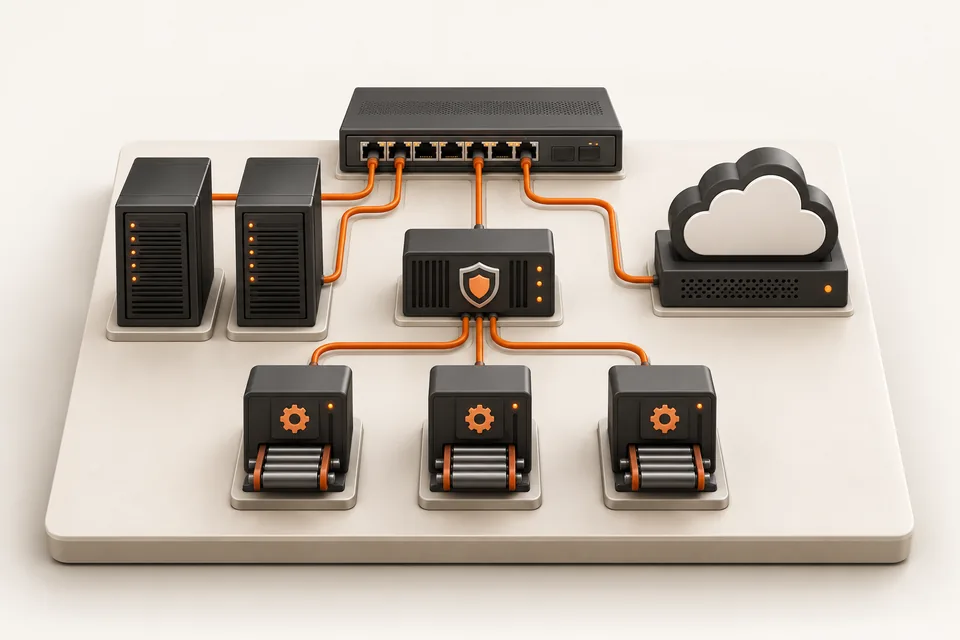
Illustration of a miniature switch, servers, cloud, security gateway and delivery modules connected in an infrastructure learning lab.
A connected view of networking, cloud, security and automation.

Learn from top 1% engineers.

Meet instructors who bring networking, cloud and automation experience into the classroom.

Atul Sharma
Founder · Networking

Atul Sharma

12+ years in networking

Networking experience spanning Aricent, TCS, Apple and Juniper.

Sanjay Sharma
AWS cloud

Sanjay Sharma

20+ years of experience

Cloud mentor bringing extensive hands-on AWS experience to the classroom.

Amit Bhatt
Linux & DevOps

Amit Bhatt

11+ years of experience

DevOps automation experience at CDAC, IBM and Integrated Solutions.

Industry experience. Practical explanations. A human connection.

Explore Network Kings

Aadil Hameed dar

Aadil Hameed dar

Network Engineer L1

“Industry-expert trainers made networking easy to understand.”

Shared with Network Kings

Explore, talk it through, or enroll

See the syllabus and fees at your own pace. Request personal guidance when you need help choosing.

Find the right direction

Discuss your experience, interests and the skills you want to build with our team.

Request career guidance

Have a course question?

Ask about prerequisites, live classes, lab access or the enrollment options for your course.

Request a callback

Ready for your next skill?

Compare our learning formats, then open your chosen course to review enrollment options.

Explore learning plans

Use the enquiry form to share your course interest, or WhatsApp/email to include a callback or guidance request.

Why learn from the top 1% of engineers?

Because passing an exam and doing the job are different skills, and only experience closes the gap. Network Kings mentors have spent 11 to 20+ years building and running networks, cloud platforms and pipelines at companies like Apple, Juniper Networks, IBM and CDAC. They teach what breaks in production, why, and how engineers fix it under pressure.

  • Atul Sharma, Founder & CEO mentor at Network KingsAtul Sharma, Founder & CEO
  • Lazaro (Laz) Diaz, Networking mentor at Network KingsLazaro (Laz) Diaz, Networking
  • Sanjay Sharma, AWS mentor at Network KingsSanjay Sharma, AWS
  • Vikas Kumar, Azure mentor at Network KingsVikas Kumar, Azure
  • Ajay, Azure mentor at Network KingsAjay, Azure
  • Amit Bhatt, Linux & DevOps mentor at Network KingsAmit Bhatt, Linux & DevOps

Atul Sharma (Founder & CEO, 12+ yrs), Lazaro (Networking), Sanjay Sharma (AWS, 20+ yrs) and more. Meet the mentors

Same problem, two answers. Pick a track:

On the job: Two routers' OSPF neighbours are stuck in ExStart and never reach Full.

The textbook answer

OSPF moves through Down, Init, 2-Way, ExStart, Exchange, Loading and Full. Memorise the neighbour states for the exam.

Correct. Not enough to fix it.

How a production engineer teaches it

  1. Suspect an MTU mismatch first. ExStart and Exchange stalls usually come down to it.
  2. Compare show ip ospf interface on both ends and fix the interface MTU.
  3. Use ip ospf mtu-ignore only as a stopgap, and say so in the change record.
  4. Write down why it happened, so the next engineer finds it in minutes.
  • The why behind every command, not just the syntax.
  • Hands-on labs for every topic, so the first fault you fix is not at work.
  • Doubts answered by someone who has fixed it in a live network, cloud or pipeline.