Understanding NAT and Routing Inside a Check Point Firewall
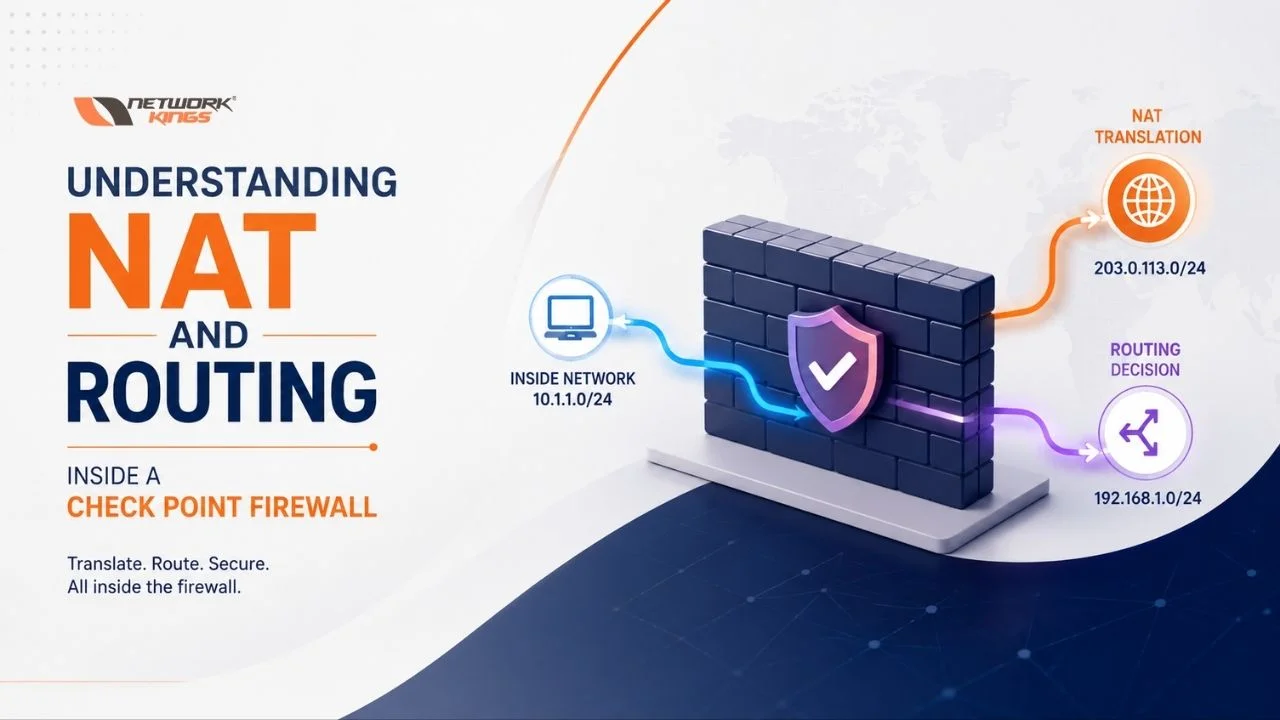
When traffic passes through a Check Point firewall, allowing the connection is only one part of the process. The Security Gateway must also determine whether the packet needs address translation and where to forward it. This is why understanding Check Point NAT and routing together is so important for firewall administrators and network engineers.
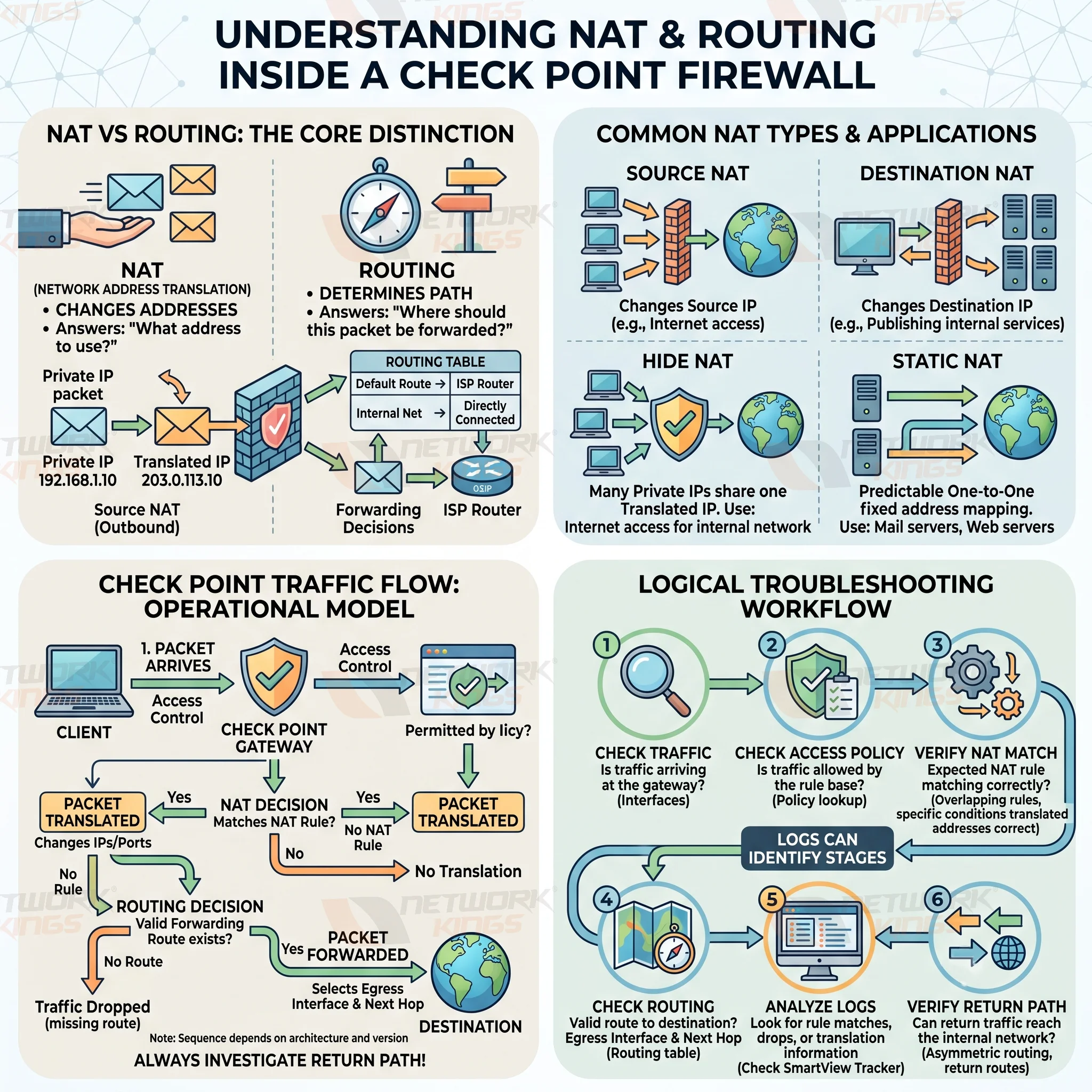
In simple terms, NAT changes addressing information, while routing determines the forwarding path. A NAT rule can be correct while routing is wrong, or routing can be correct while NAT fails to match. Understanding both helps administrators troubleshoot traffic logically instead of guessing which firewall setting is responsible.
What NAT Means Inside a Check Point Firewall
Network Address Translation, or NAT, changes address information as traffic passes through the Check Point Security Gateway. Check Point NAT is commonly used to allow private systems to access external networks or to make internal services reachable through public addresses.
For example, an internal workstation with the address 192.168.1.10 may need Internet access. A Hide NAT rule can translate its private source address to a public address so that external systems can respond to the connection.
For inbound traffic, destination NAT can perform the opposite type of translation. A connection sent to a public address can be translated toward an internal server.
The two basic translation directions are:
Source NAT changes the source address of traffic, commonly for outbound connections.
Destination NAT changes the destination address, commonly when publishing an internal service.
Check Point environments commonly use two important NAT approaches.
Hide NAT allows multiple internal hosts to share a translated address. Static NAT creates a predictable one-to-one relationship between addresses.
The important point is that NAT answers "What address should this traffic use?" It does not by itself determine the complete path the packet will take.
How Routing Works on a Check Point Security Gateway
Routing answers a different question: "Where should this packet be forwarded?"
The Check Point Security Gateway uses its routing information to determine the appropriate outgoing interface and next hop for a destination. Depending on the network design, the routing table can contain directly connected networks, static routes, and a default route.
Consider a gateway with:
Internal network
192.168.1.0/24Internet-facing interface
203.0.113.10Default route pointing toward the ISP router
When a client sends traffic to an Internet destination, the gateway needs a valid route toward that destination. If there is no more specific route, the default route may provide the forwarding path.
This is the foundation of Check Point routing. Even when NAT is configured correctly, traffic cannot leave through the expected interface if the routing table does not provide a valid path.
NAT vs Routing and Why the Difference Matters
The easiest way to remember the difference is:
NAT changes the address. Routing determines where the packet goes.
For example, suppose a workstation sends traffic from 192.168.1.10 to a public web server.
NAT may change the source address from the private IP to a public or translated address. Routing then determines which interface and next hop should be used to reach the web server.
Concept | Purpose | Example | Common Use |
Hide NAT | Translates multiple internal addresses behind another address |
| Internet access |
Static NAT | Creates a predictable one-to-one translation |
| Publishing services |
Source NAT | Changes the source address | Private IP → Public IP | Outbound traffic |
Destination NAT | Changes the destination address | Public IP → Internal IP | Inbound services |
Routing | Determines forwarding path | Default route → ISP | Network connectivity |
Manual NAT | Provides explicit translation control | Custom source/destination mapping | Complex environments |
This distinction is particularly useful during Check Point firewall troubleshooting. If the NAT rule matches but the firewall has no usable route, translation alone will not make the connection work.
Likewise, a correct route cannot compensate for a NAT rule that never matches the traffic.
How Check Point NAT and Routing Work Together
A simplified model of traffic flow is:
Client → Check Point Gateway → NAT Decision → Routing Decision → Next Hop → Destination
This should be treated as a conceptual model rather than a universal statement about every internal Check Point processing stage. Exact packet processing can vary depending on the Check Point software version, configuration, traffic direction, policy architecture, and deployment scenario.
The operational relationship is more important than memorizing a fixed sequence.
Suppose 192.168.1.10 wants to reach the Internet. The administrator must establish that:
The traffic is handled by the expected Security Gateway.
The applicable security policy permits the connection.
The expected NAT rule matches the traffic.
The gateway has a valid route toward the destination.
Return traffic can reach the translated connection correctly.
The same principle applies to inbound connections. A public destination may be translated toward an internal server, but the gateway still needs a valid path to that internal network, and the applicable Access Control Policy must permit the connection.
Hide NAT vs Static NAT
Hide NAT takes multiple internal source addresses and translates them behind a single shared address, most commonly used so an entire internal network can reach the internet through one public IP. Hide NAT is commonly used when many private hosts need outbound connectivity while sharing a translated address.
For example:
192.168.1.10 → 198.51.100.20
and
192.168.1.11 → 198.51.100.20
Multiple internal clients can therefore appear externally behind the same address while the gateway maintains the connection state needed to distinguish their sessions.
Static NAT provides a fixed one-to-one translation. Static NAT, by comparison, maps one specific address to another on a permanent basis, which is why it fits scenarios like publishing a mail server or web server that needs a consistent, predictable public identity.
For example:
198.51.100.50 → 192.168.1.50
This can allow an externally reachable address to represent an internal web server.
The practical difference is straightforward. Hide NAT is generally associated with allowing internal users to share an address for outbound access, while Static NAT provides a consistent mapping between addresses.
Automatic NAT vs Manual NAT
Check Point provides automatic NAT capabilities for common translation scenarios. NAT behavior can be configured through object properties in SmartConsole when the relevant object and deployment design support that approach.
Manual NAT provides administrators with more explicit control over source and destination translation. This can be valuable when an environment requires specific combinations of source, destination, or service conditions.
The distinction becomes particularly important in larger environments because multiple rules may potentially match the same traffic.
This makes Check Point NAT rule order an important troubleshooting consideration. An overly broad rule can match traffic before a more specific rule gets the opportunity to apply. When troubleshooting an unexpected translation, administrators should therefore examine the complete NAT rulebase rather than looking at a single rule in isolation.
A Practical Check Point NAT and Routing Example
Imagine an organization with this network:
Client:
192.168.1.10Internal network:
192.168.1.0/24Firewall public address:
203.0.113.10Internet gateway:
203.0.113.1
The client sends a request to an Internet server.
Conceptually, the traffic might look like this:
Original source: 192.168.1.10Destination: Internet server
NAT: Hide NAT translates the source address
Routing: The Security Gateway selects the Internet-facing route
Next hop: 203.0.113.1
If the NAT rule matches but the routing table has no appropriate route, the connection can still fail.
Now consider an inbound web server:
Internet client → 203.0.113.50 → NAT → 192.168.1.50
Here, destination NAT can translate the public destination to the internal server. The Security Gateway must also have a valid route to 192.168.1.0/24, and the applicable security policy must allow the connection.
These examples demonstrate why NAT and routing should always be analyzed together.
Common NAT and Routing Problems
When NAT troubleshooting is required, start with the actual traffic rather than immediately changing configuration.
If the expected NAT rule does not match, investigate the source, destination, service, object definitions, and rule conditions. If the wrong translation occurs, examine overlapping rules and rule order.
If NAT appears correct but traffic still fails, move to routing. Verify the routing table, directly connected networks, static routes, default route, outgoing interface, and next-hop information.
A useful troubleshooting workflow is:
Check traffic → Verify NAT match → Check routing → Check security policy → Check logs → Verify return path
Each stage answers a different question.
If NAT fails, the packet may leave with an unexpected source or destination address. If routing fails, the gateway may not have a valid forwarding path. If the Access Control Policy blocks the connection, the traffic may be denied even though NAT and routing are correct.
Logs and traffic-monitoring information can help determine which stage requires further investigation. In advanced troubleshooting, Check Point administrators may also use appropriate traffic inspection tools to observe how packets are handled, depending on the software version and environment.
Finally, always investigate the return path. A connection can appear correctly configured in the outbound direction but still fail because response traffic reaches the wrong gateway or follows an asymmetric path.
Best Practices for Check Point NAT and Routing
A predictable NAT and routing design is easier to troubleshoot and maintain.
Keep NAT rules specific and avoid unnecessarily broad translations. Document unusual manual NAT configurations and review the complete NAT rulebase when changing related rules.
For routing, verify that directly connected networks, static routes, and the default route accurately reflect the network topology. After configuration changes in SmartConsole, make sure the relevant policy and configuration have been properly installed on the Security Gateway.
For administrators studying CCSA NAT configuration, focus on understanding the relationship between network objects, NAT rules, security policy, and routing. Knowing why traffic is translated and how the gateway subsequently forwards it is more valuable than memorizing isolated configuration steps.
Related topics worth exploring include Check Point CCSA certification, Check Point firewall traffic flow, Check Point firewall rules, network security fundamentals, and firewall troubleshooting.
Conclusion
Understanding Check Point NAT and routing is essential for anyone responsible for firewall connectivity and troubleshooting. NAT changes addressing information, while routing determines the forwarding path used by the Security Gateway.
A successful connection also depends on the applicable Access Control Policy and a valid return path. When NAT, routing, policy enforcement, and return traffic are examined as connected parts of the same flow, troubleshooting becomes much more systematic.
The key principle is simple: NAT changes addressing, routing determines forwarding, and both must work correctly for traffic to reach its intended destination and return successfully.
(FAQs)
What is NAT in Check Point?
NAT in Check Point changes the source or destination IP address of network traffic as it passes through the Security Gateway. It is commonly used for Internet access with Hide NAT or for publishing internal services through Static or destination NAT.
What is routing in a Check Point firewall?
Routing determines where the Security Gateway forwards a packet based on its destination and routing information. The routing table can include directly connected networks, static routes, and a default route.
What is the difference between NAT and routing?
NAT changes addressing information, while routing determines the forwarding path. For example, Hide NAT may change a private source IP to a public address, while routing determines which interface and next hop should receive the packet.
How does Hide NAT work in Check Point?
Hide NAT allows multiple internal systems to share a translated IP address for outbound connections. For example, several private clients can access the Internet through the same public IP while the Security Gateway maintains the connection information required to distinguish their sessions.
What is the difference between automatic NAT and manual NAT?
Automatic NAT uses NAT settings associated with network objects for common translation scenarios. Manual NAT gives administrators more explicit control over source, destination, and other translation conditions and is useful for more complex network designs.
Can NAT work correctly while routing fails?
Yes. A NAT rule can correctly translate an address while the Security Gateway lacks a valid route to the destination or next hop. In this situation, the expected translation may occur, but the packet still cannot reach its destination.

The founder of Network Kings, is a renowned Network Engineer with over 12 years of experience at top IT companies like TCS, Aricent, Apple, and Juniper Networks. Starting his journey through a YouTube channel in 2013, he has inspired thousands of students worldwide to build successful careers in networking and IT. His passion for teaching and simplifying complex technologies makes him one of the most admired mentors in the industry.