How to Build Your First CI/CD Pipeline in 2026
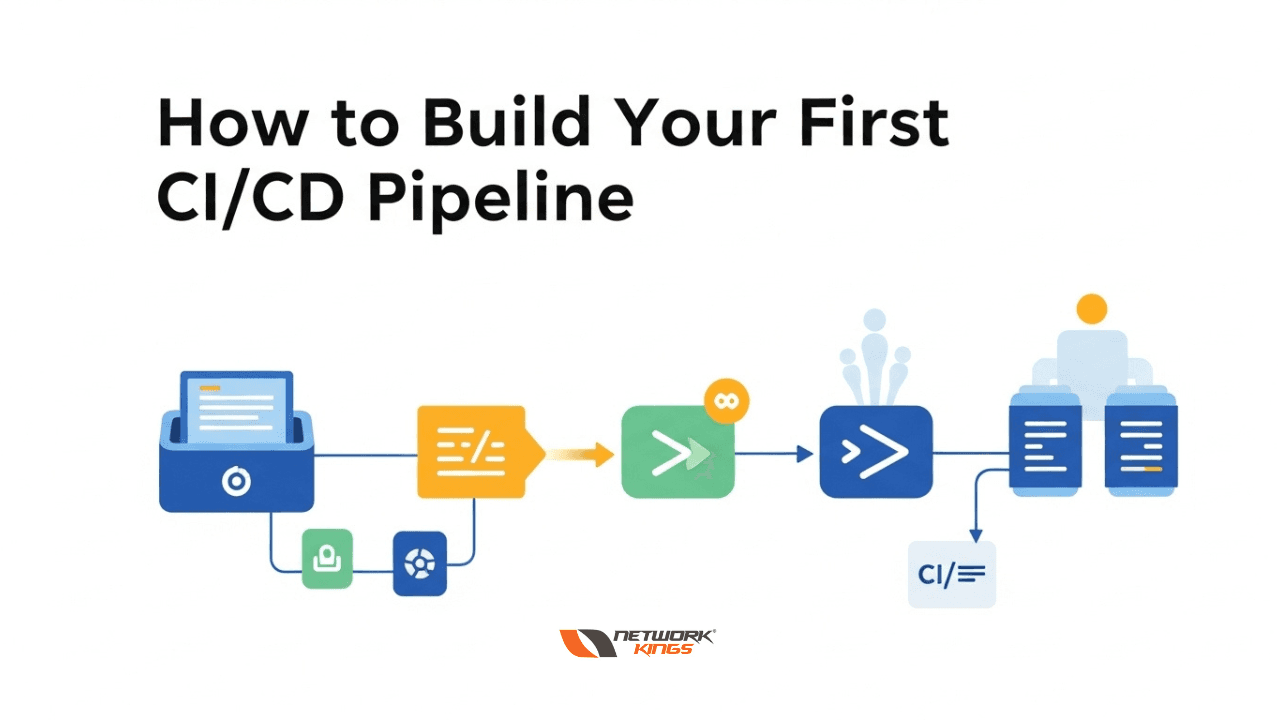
Continuous Integration and Continuous Deployment (CI/CD) have evolved from optional DevOps practices to essential requirements for modern software development. In 2026, automating your deployment pipeline isn't just about efficiency—it's about staying competitive in a rapidly evolving tech landscape.
If you're new to CI/CD, you might wonder why it matters. The answer is straightforward: CI/CD pipelines reduce human error, accelerate time-to-market, and enable teams to deliver quality software consistently. Whether you're managing a startup project or scaling an enterprise application, understanding how to build your first CI/CD pipeline is fundamental to your success as a developer or DevOps engineer.
Understanding CI/CD: The Foundation
Before diving into implementation, clarify what CI/CD actually means. Continuous Integration (CI) refers to the practice of automatically testing code changes as developers commit them to a shared repository. Continuous Deployment (CD) takes this further by automatically pushing validated code to production environments.
The value proposition is clear: automated pipelines catch bugs earlier, reduce manual testing overhead, and ensure consistent deployments. Modern teams using CI/CD report faster release cycles, fewer production incidents, and improved code quality metrics.
Step 1: Choose Your Version Control System
Your CI/CD pipeline begins with source control. GitHub, GitLab, and Bitbucket are the industry standards in 2026, each with built-in CI/CD capabilities.
For your first pipeline, consider these factors:
Integration capabilities: GitHub Actions, GitLab CI/CD, and Bitbucket Pipelines each offer native solutions that reduce setup complexity
Team familiarity: Choose a platform your team already uses or prefers
Pricing and scalability: Evaluate free tiers for small projects and paid options as you grow
Documentation and community: Opt for platforms with extensive tutorials and active communities
Most modern platforms bundle CI/CD tools, eliminating the need for external systems. This integrated approach simplifies architecture and reduces operational overhead.
Step 2: Define Your Pipeline Stages
A basic CI/CD pipeline typically includes three core stages:
Build Stage: Compile your code, resolve dependencies, and create executable artifacts. For a Node.js application, this might mean running npm install and npm build. For Java projects, this may involve using Maven or Gradle for compilation.
Test Stage: Execute automated tests including unit tests, integration tests, and sometimes end-to-end tests. Ensure code coverage meets your team's standards. This stage acts as your quality gate, preventing substandard code from advancing.
Deploy Stage: Push validated code to your target environment. For beginners, this might be a staging environment. As confidence grows, extend to production deployments with appropriate approval gates.
Each stage should exit with clear success or failure criteria. If any stage fails, the pipeline halts, preventing broken code from progressing downstream.
Step 3: Set Up Your First Pipeline Configuration
Most CI/CD platforms use declarative configuration files. GitHub Actions uses YAML files in the .github/workflows directory, while GitLab uses .gitlab-ci.yml.
Here's what a minimal pipeline configuration includes:
Triggers: Define when the pipeline runs—typically on push events, pull requests, or scheduled intervals
Runner selection: Specify the environment where jobs execute (Ubuntu, macOS, Windows, or custom runners)
Job definitions: Break down work into logical, reusable steps
Artifact handling: Specify which build outputs to preserve for downstream stages
Notifications: Configure alerts for failures or successes
Start simple. Your first pipeline might only compile code and run tests. As you mature, add linting, security scanning, and deployment steps incrementally.
Step 4: Implement Automated Testing
Testing is where CI/CD delivers immediate value. Automated tests catch regressions before they reach production, reducing costly post-release fixes.
Structure your test strategy around three levels:
Unit Tests form the foundation, testing individual functions or methods in isolation. They're fast, focused, and should comprise the majority of your test suite.
Integration Tests verify that components work together correctly. They take longer than unit tests but catch issues that unit tests miss.
End-to-End Tests validate complete user workflows. Use these sparingly, as they're slower and more fragile than lower-level tests.
In your pipeline, run unit tests first (fast feedback), followed by integration tests, then end-to-end tests only if resources permit. This pyramid approach balances speed with coverage.
Step 5: Configure Deployment Environments
Separate your deployment targets into logical environments:
Development: Where code is tested immediately after commit
Staging: A production-like environment for final validation
Production: Your live customer-facing environment
Implement environment-specific configurations for databases, API endpoints, and credentials. Never hardcode secrets in your repository; use environment variables or dedicated secret management services.
For your first pipeline, deploy to staging automatically. Require manual approval before production deployments. As confidence grows, implement sophisticated approval workflows with notifications and rollback capabilities.
Step 6: Implement Security Best Practices
Security shouldn't be an afterthought. Integrate security checks into your pipeline:
Dependency scanning: Use tools like Dependabot or Snyk to detect vulnerable libraries
Code quality analysis: Implement SonarQube or similar tools to catch security antipatterns
Secrets management: Never expose API keys or credentials; use encrypted environment variables
Container scanning: If using Docker, scan images for vulnerabilities before deployment
These practices prevent security issues from reaching production and demonstrate compliance with modern development standards.
Step 7: Monitor and Optimize Your Pipeline
A working pipeline is just the beginning. Monitor these metrics:
Pipeline duration: Track how long each stage takes. Optimize slow steps first
Success rate: Monitor failure frequencies to identify systemic issues
Deployment frequency: Measure how often code reaches production
Lead time: Calculate the time from code commit to production deployment
Use these insights to identify bottlenecks. Perhaps your test suite runs slowly—parallelize tests. Maybe your build step is inefficient—cache dependencies more aggressively.
Common Pitfalls to Avoid
Inadequate test coverage: Without sufficient automated tests, your pipeline becomes a rubber stamp rather than a quality gate. Aim for meaningful coverage that catches real bugs.
Unclear success criteria: Define explicit pass/fail conditions for each stage. Ambiguous success metrics lead to inconsistent behavior.
Ignoring pipeline performance: A slow pipeline encourages developers to bypass it. Optimize ruthlessly to keep feedback cycles tight.
Poor documentation: Document your pipeline's architecture, how to troubleshoot failures, and how to extend it. Future maintainers will thank you.
Conclusion
Building your first CI/CD pipeline in 2026 is more accessible than ever. With integrated tools from GitHub, GitLab, and Bitbucket, you can implement a professional-grade pipeline without extensive infrastructure knowledge.
Start small: establish version control, configure automated tests, and automate deployments to a staging environment. As your confidence grows, expand with security scanning, advanced approval workflows, and performance optimization.
Remember that CI/CD is a journey, not a destination. Your first pipeline will evolve. What matters is starting—today's basic pipeline becomes tomorrow's foundation for continuous improvement. By implementing these practices now, you're investing in velocity, reliability, and team productivity that compound over time.

The founder of Network Kings, is a renowned Network Engineer with over 12 years of experience at top IT companies like TCS, Aricent, Apple, and Juniper Networks. Starting his journey through a YouTube channel in 2013, he has inspired thousands of students worldwide to build successful careers in networking and IT. His passion for teaching and simplifying complex technologies makes him one of the most admired mentors in the industry.